TL;DR: Understanding Amazon referral fees is critical for maintaining healthy profit margins. This guide explains how these fees vary by category, the impact of minimum referral fees, and how to estimate them accurately using a revenue calculator to optimize your pricing strategy.
Key Takeaways
- Amazon referral fees typically range from 8% to 15% of the total sales price, depending on the product category.
- A minimum referral fee applies to most budget-friendly items, usually around $0.30 to $0.99 per item, which can significantly impact margins on low-cost goods.
- Accurate category mapping is essential; listing a product in the wrong category can lead to paying higher fees than necessary.
- Utilizing a calculation tool helps simulate different price points to find the sweet spot between competitiveness and profitability.
Table of Contents
Note on marketplaces: This guide is specifically optimized for the US market.
What A Referral Fee Is
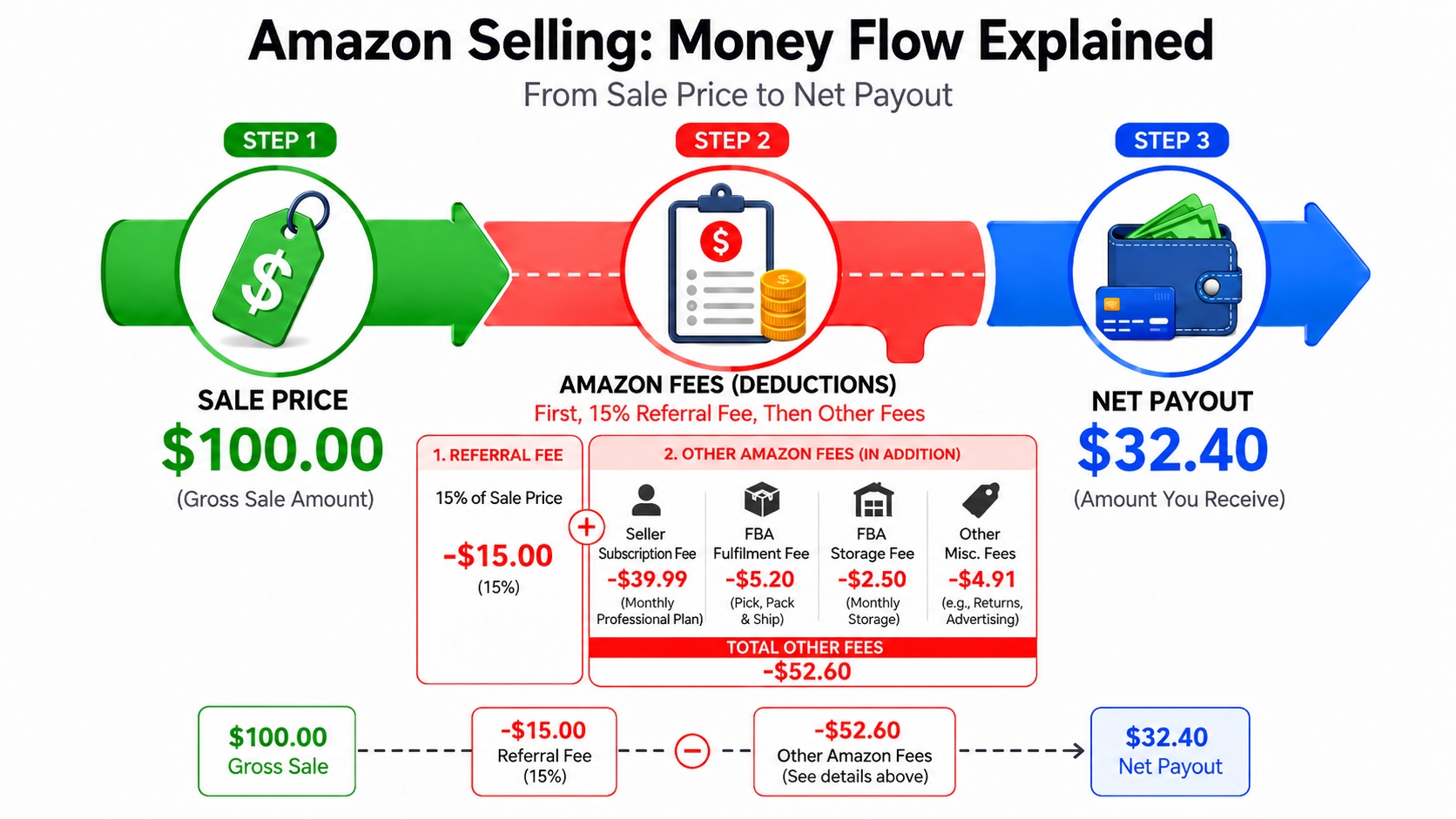
When you sell a product on Amazon, you are not just paying for the storage or shipping of the item; you are essentially paying rent for access to the world's largest customer base. This rent is known as the Amazon referral fee. It is a commission that Amazon charges sellers for each item sold. Think of it as the cost of doing business on the platform, which covers the infrastructure, marketing, and transaction processing that Amazon provides to connect your product with millions of buyers.
Definition: The referral fee is a percentage of the total sales price (including the item price and any shipping or gift wrap charges) that the seller pays Amazon for each unit sold.
For most categories, this fee is calculated as a percentage of the total sale price, rather than just the net profit. This distinction is crucial because it means your costs rise directly in proportion to your selling price. While the standard rate is often cited around 15%, there are numerous exceptions where rates can be lower or significantly higher, depending on the specific nature of the goods being sold.
Understanding this fee is the foundation of financial planning for any Amazon seller. If you fail to account for it accurately in your pricing model, you risk eroding your profit margins entirely. For a deeper dive into overall costs and how they fit into your broader financial picture, you can explore our comprehensive guide on Amazon FBA Fees.
How Amazon Referral Fees Work
While the general concept of a referral fee is straightforward as a cut of the sale, the mechanics of how it is applied can become complex. Amazon charges the fee based on the total sales price, which includes not only the base price of the item but also any delivery charges and gift wrapping fees charged to the customer. However, the percentage itself is not uniform across the board and is heavily influenced by the type of product being sold.
Category-based fee rates
Amazon categorizes products into specific segments, each with its own fee structure. The majority of consumer goods fall under the "Most Categories" tier, which incurs a 15% referral fee. However, this is not a universal rule. For instance, consumer electronics are often charged a lower fee of 8%, while luxury items like jewelry incur a higher fee of 20%. This differentiation helps Amazon adjust its revenue based on the average price point and profit margins typical of that industry.
| Category | Referral Fee |
|---|---|
| Most Categories | 15% |
| Consumer Electronics / Computers / Full-Size Appliance | 8% |
| Jewelry / Gift Cards / Merchant Fulfilled Services | 20% |
| Amazon Device Accessories | 45% |
| Automotive and Powersports / Base Equipment Power Tools / Business, Industrial, and Scientific Supplies | 12% |
Identifying the correct category for your product is the first step in determining your liability. Some items, such as auto parts or clothing, have specific sub-rules or tiers within the broader category, requiring sellers to carefully check the latest fee schedules to ensure compliance.
Minimum referral fees
To prevent sellers from listing extremely low-cost items where a percentage fee would be negligible (thus Amazon losing money on transaction processing), a minimum referral fee is enforced. For many categories, this minimum is set at $0.30 per item. This means that even if you sell a product for $1.00 in a 15% category (which would mathematically result in a $0.15 fee), Amazon will charge you $0.30 instead.
Rule of Thumb: If your product is priced below $2.00, the minimum referral fee will likely supersede the percentage fee, drastically reducing your profit margin.
This minimum fee structure is a critical consideration for sellers of cheap accessories or add-on items. It effectively serves as a floor for the cost per transaction, meaning scaling sales of low-ticket items is not profitable unless volume is massive and unit costs are incredibly low.
Price-based fee effects
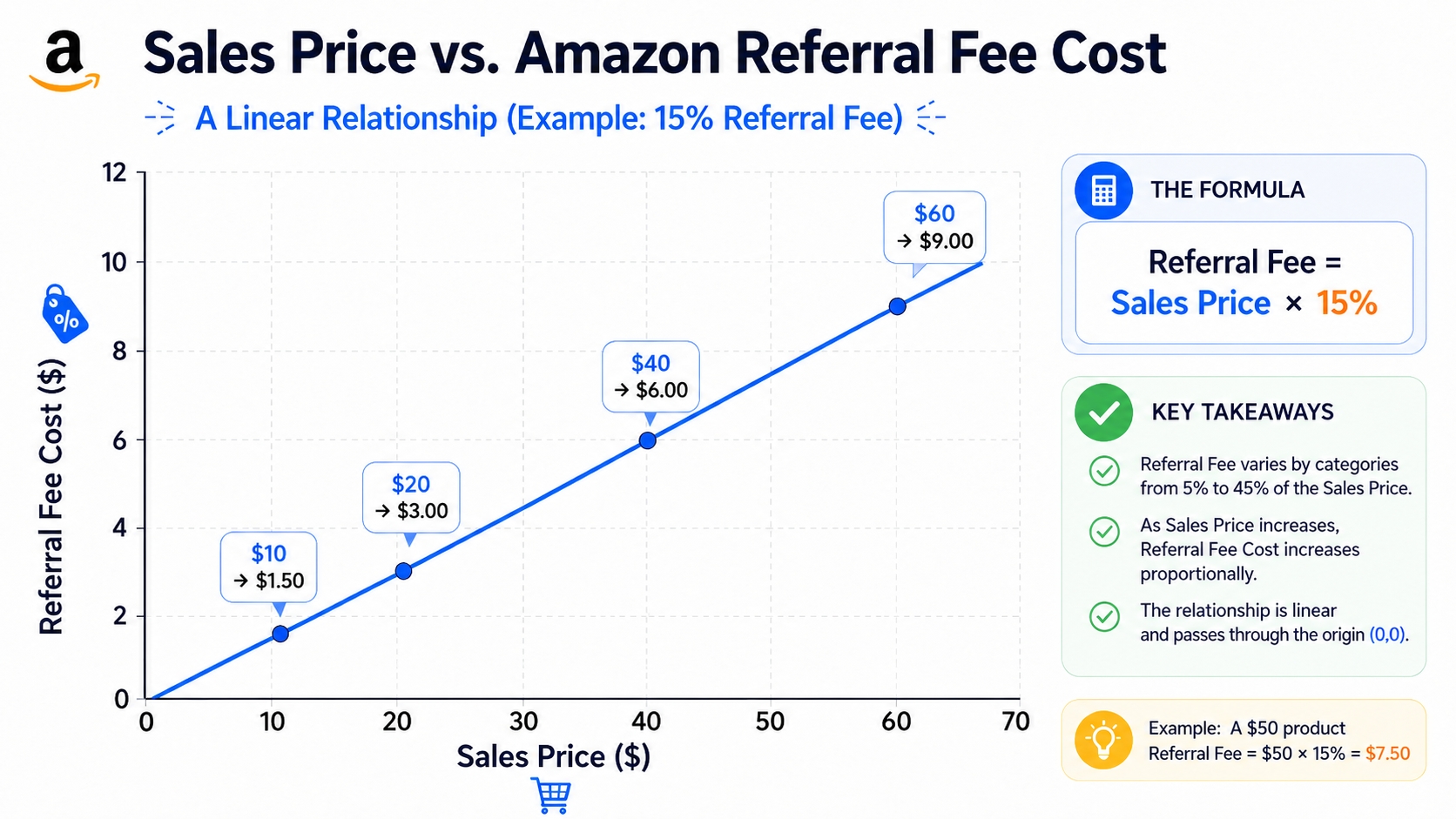
Because the fee is a percentage, the impact scales with the price. If you raise the price of your item from $20 to $22, your referral fee increases from $3.00 to $3.30. While simple on the surface, this dynamic means that high-ticket items can incur hundreds of dollars in fees per sale. Sellers must be aware that the referral fee is charged on the gross amount received from the buyer, meaning if you lower the price to increase sales velocity, the fee decreases, but it also protects the margin percentage if managed correctly.
Why category selection matters
Choosing the right category during the listing creation process is not just about SEO and discoverability; it is a financial decision. If you mistakenly list an electronic accessory in the generic "Home" category, you might end up paying 15% instead of the lower 8% or vice versa depending on the specific classification. Furthermore, some categories have different minimum fee thresholds. Taking the time to browse Amazon's taxonomy guidelines or using a tool to verify the category can save you thousands of dollars in overpaid fees over the lifetime of a product.
What to Check Before Calculating
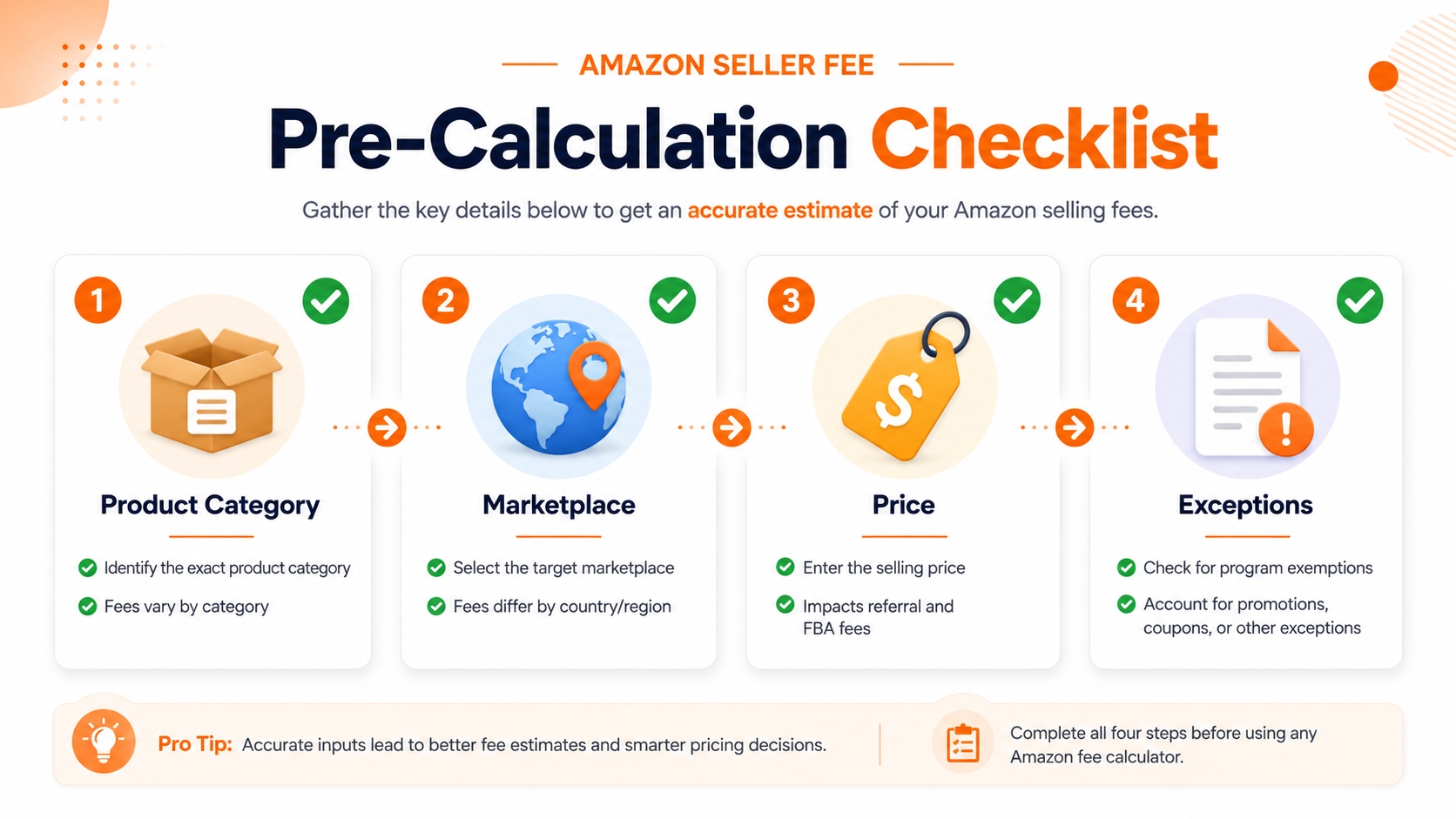
Before you plug numbers into any calculator, you must gather your inputs to ensure accuracy. An error in these input variables will lead to a false profit projection, which could result in selling at a loss. Preparation involves verifying the specific details of your listing and the marketplace in which you intend to operate.
Product category
As emphasized earlier, the category is the primary driver of the fee percentage. Do not rely on intuition; look at the Amazon Best Sellers Rank or the browse tree of similar products to confirm where your item lives. For example, a "water bottle" might be categorized under Sports & Outdoors, Kitchen, or even Home, and while many share the 15% rate, some specific household goods might differ. Always verify the exact categorization in Seller Central during the listing creation process.
Marketplace
Although the US market is the focus here, fees can vary internationally. However, even within the US, certain program variations (like Amazon Renewed) can alter the fee structure. Ensure you are calculating based on the specific marketplace you are targeting. Selling on Amazon.com (US) usually follows the standard USD referral fee table, but cross-border trade might introduce currency conversion nuances or different regional fee caps if registered through North American Unified Account.
Selling price
Determine your planned selling price. Remember that this amount should include the item price plus any shipping you charge the customer. If you offer Free Shipping, the price is still the item price. If you charge a shipping fee, Amazon adds that to the selling price before applying the percentage. Therefore, your input for the calculation must be the Total Transaction Value, not just the product price.
Any fee exceptions
Check if your category has specific exceptions. For instance, certain accessories for Amazon devices have a caps on the referral fee (e.g., $3.00 max fee per item) despite a high percentage rate. Others might have a tiered structure where the fee changes once the price exceeds a certain limit (e.g., $100). Ignoring these exceptions will render your calculation inaccurate, particularly for high-priced electronic accessories.
How to Estimate Referral Fees in a Profit Calculator
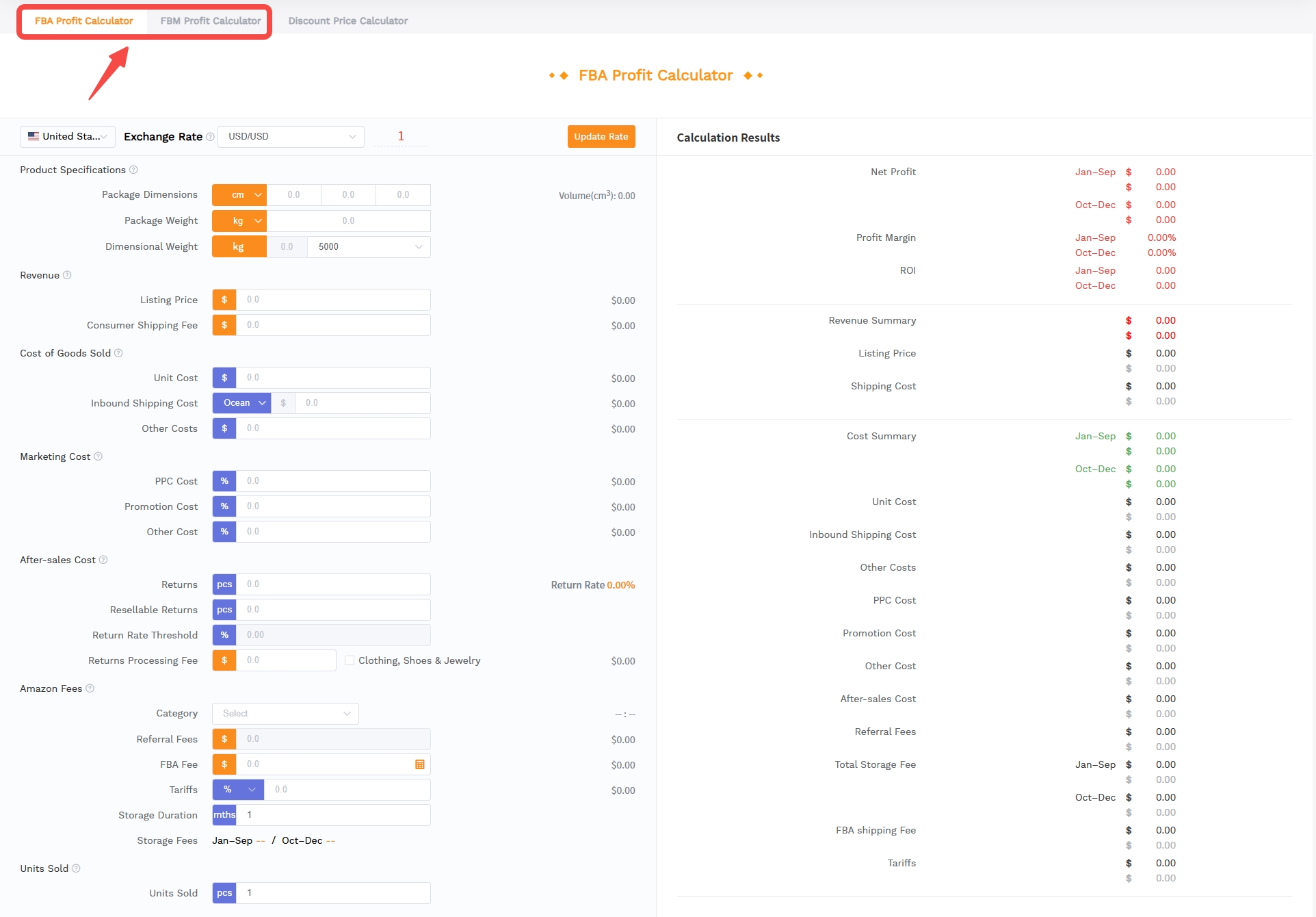
Manual calculations using a calculator are possible but prone to error, especially when dealing with complex tiered fees or minimums. Using a specialized revenue calculator streamlines this process, allowing you to quickly toggle variables to see the bottom-line impact. The SellerSprite Profit Calculator is designed to automate these complexities, giving you a clear breakdown of your costs.
Select the correct marketplace
Start by navigating to the SellerSprite Profit Calculator. The first step is to select your target marketplace, in this case, Amazon US. This ensures the tool pulls the correct fee schedule and currency conversion rates, preventing discrepancies that arise from mixing international fee structures with domestic sales data.
Match the category
Input your product or select the specific category from the dropdown menu. The calculator will automatically adjust the referral fee percentage based on this selection. For example, selecting "Consumer Electronics" will automatically apply the 8% rate, while selecting "Jewelry" will apply 20%. This instant adjustment eliminates the need to memorize the fee schedule for every niche.
Test multiple price points
Do not settle on a single price. Enter your estimated net cost and then input several different selling prices to see how the referral fee and overall margin change. This simulation helps you understand the diminishing returns of high pricing or the volume potential of lower pricing. For instance, you might find that raising the price by $5 increases your profit by less than $2 due to the stepped increase in fees and other variable costs.
Price sensitivity table
To assist with this testing, consider creating a simple price sensitivity analysis. Below is an example of how a 15% referral fee and $10 FBA fee impact a product with a cost of $5.
| Sale Price | Referral Fee | Net Margin |
|---|---|---|
| $19.99 | $3.00 | $1.99 |
| $24.99 | $3.75 | $6.24 |
| $29.99 | $4.50 | $10.49 |
This visualization clearly shows that while the fee increases with price, the net margin growth often outpaces the fee cost, supporting a strategy of higher pricing if the market allows.
Common Referral Fee Mistakes
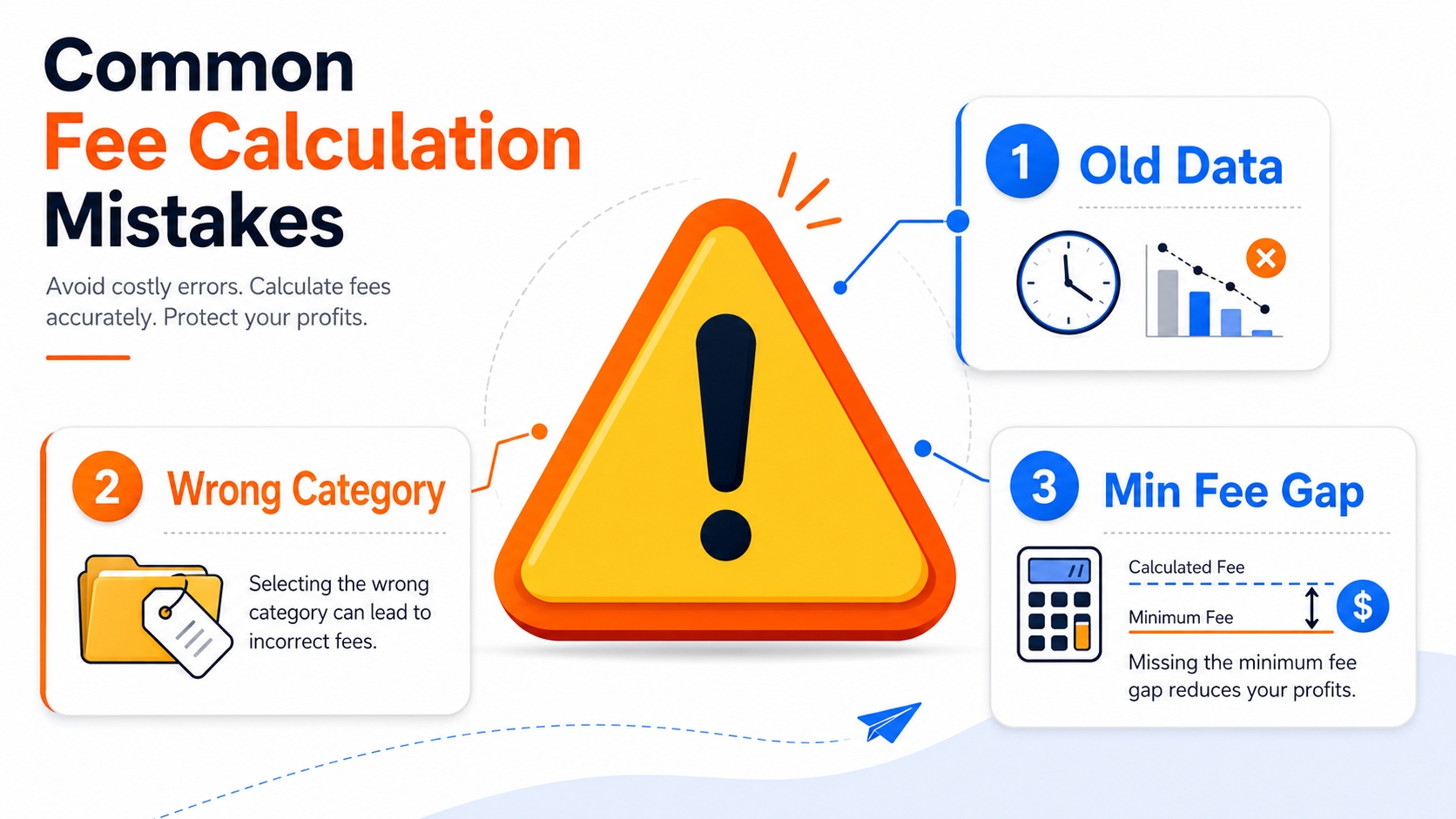
Even experienced sellers can fall into traps when calculating fees. Being aware of these common pitfalls is the best way to avoid them. These errors often stem from outdated information or simple oversight during the listing process.
Using outdated fee percentages
Amazon updates its fee structure regularly. In recent years, there have been adjustments to fees for categories like apparel and clothing. Relying on a spreadsheet you created three years ago is dangerous. Always cross-reference against the official Amazon Seller Central fee schedule or a consistently updated tool like SellerSprite to ensure you are working with current data.
Mapping product to the wrong category
This is perhaps the most costly error. If Amazon's algorithm detects that your listing is more relevant to a different category (or if a competitor reports you), Amazon may recategorize your product. If you manually map it incorrectly, you might pay higher fees upfront and then face retroactive adjustments. For example, listing a specialized pillow in "Home & Kitchen" might be correct, but listing it in "Medical & Household" could yield a different fee percentage.
Forgetting minimum fees
Sellers often calculate the percentage on a $3.00 item as $0.45, budgeting that as their cost. However, if they missed the minimum fee of $0.30, or if the category minimum is higher (or applies differently), they lose margin. On the flip side, some sellers avoid selling low-price items entirely because they overestimate the impact of minimum fees. Accurate calculations reveal the true break-even point for such products.
FAQ
How are Amazon referral fees calculated?
Referral fees are calculated as a percentage of the total sales price, which includes the item price plus any shipping charges and gift wrap fees. The percentage applied is determined by the specific product category of the item sold.
What is a minimum referral fee?
The minimum referral fee is a set floor price (usually $0.30 for most categories) that Amazon charges per item sold. This ensures that even for very low-priced items, Amazon collects a minimum amount to cover transaction processing costs.
How do Amazon referral fees affect product pricing?
Since referral fees are a percentage, they directly reduce your gross margin. To maintain a specific net profit, you must price your product high enough to cover both the cost of goods, FBA fees, and the calculated referral fee.
Are referral fees different across Amazon marketplaces?
Yes, while many categories follow similar structures, the specific percentages and minimum fees can vary by region (e.g., US vs. EU) and even by specific program within a marketplace. Always check the fee schedule for the specific region where you are selling.
Should referral fees be recalculated when I change product price?
Yes, because the fee is a percentage of the sale price. If you increase or decrease your price, the fee amount will change immediately. You should recalculate whenever you perform a price optimization strategy to ensure margins remain viable.
Next Steps
- Identify your product's correct category on Amazon to verify the specific fee percentage applicable to your items.
- Use the SellerSprite Profit Calculator to simulate your costs and margins at different price points.
- Review your current listings to ensure they are not mapped to high-fee categories incorrectly.
References
- Amazon Seller Central: Amazon Seller Fee Schedule View
- SellerSprite Blog: Amazon Revenue Calculator Guide View
- SellerSprite Blog: Amazon FBA Fees Explained View
By SellerSprite Success Team
The SellerSprite Success Team is a group of seasoned Amazon e-commerce experts dedicated to helping sellers optimize their operations. With deep experience in data analysis and global marketplace strategy, we provide actionable insights to drive profitability and growth for businesses of all sizes.


