TL;DR: A larger Amazon Business order can reduce some selling costs while still leaving less profit per unit. Start by separating account access from transaction fees, then check the exact conditions for business-order savings. Set quantity prices using contribution, not order value, and reconcile what Amazon charges with what reaches your bank account.
Key Takeaways
- No separate B2B access charge does not mean fee-free sales. Amazon Business features require the Professional plan; normal selling charges still apply.
- A business discount and a fee discount are different. You fund the lower customer price. Only eligible transactions receive the relevant Amazon fee reductions.
- Compare the same number of units before judging a bulk order. A bigger basket can conceal a lower return on the inventory you supplied.
- Contribution, accounting profit, and cash available are separate measures. Keep operating costs, fixed overhead, and payment timing visible instead of treating a payout as profit.
Table of Contents
- Does Amazon Business Add a Separate Seller Fee?
- Choose the Selling Plan Your Operation Actually Needs
- Read Your Costs in Four Layers
- When Business Orders Qualify for Lower Fees
- Twenty Units Sold: Why the Bigger Order Can Leave Less
- Calculate the Lowest Business Price You Can Defend
- A Fee, a Reserve, and an Invoice Are Not the Same Thing
- Audit Five Orders Before Expanding Your B2B Offers
- Make the Next Order Earn Its Discount
- FAQs
- References
Scope and rate date: US marketplace, reviewed October 19, 2026. Published rates below are distinguished from hypothetical cost assumptions. Your product category, packaged dimensions, fulfillment method, seller location, and fee effective date can affect the final charges. Verify the applicable quote and transaction details before changing prices.
Does Amazon Business Add a Separate Seller Fee?
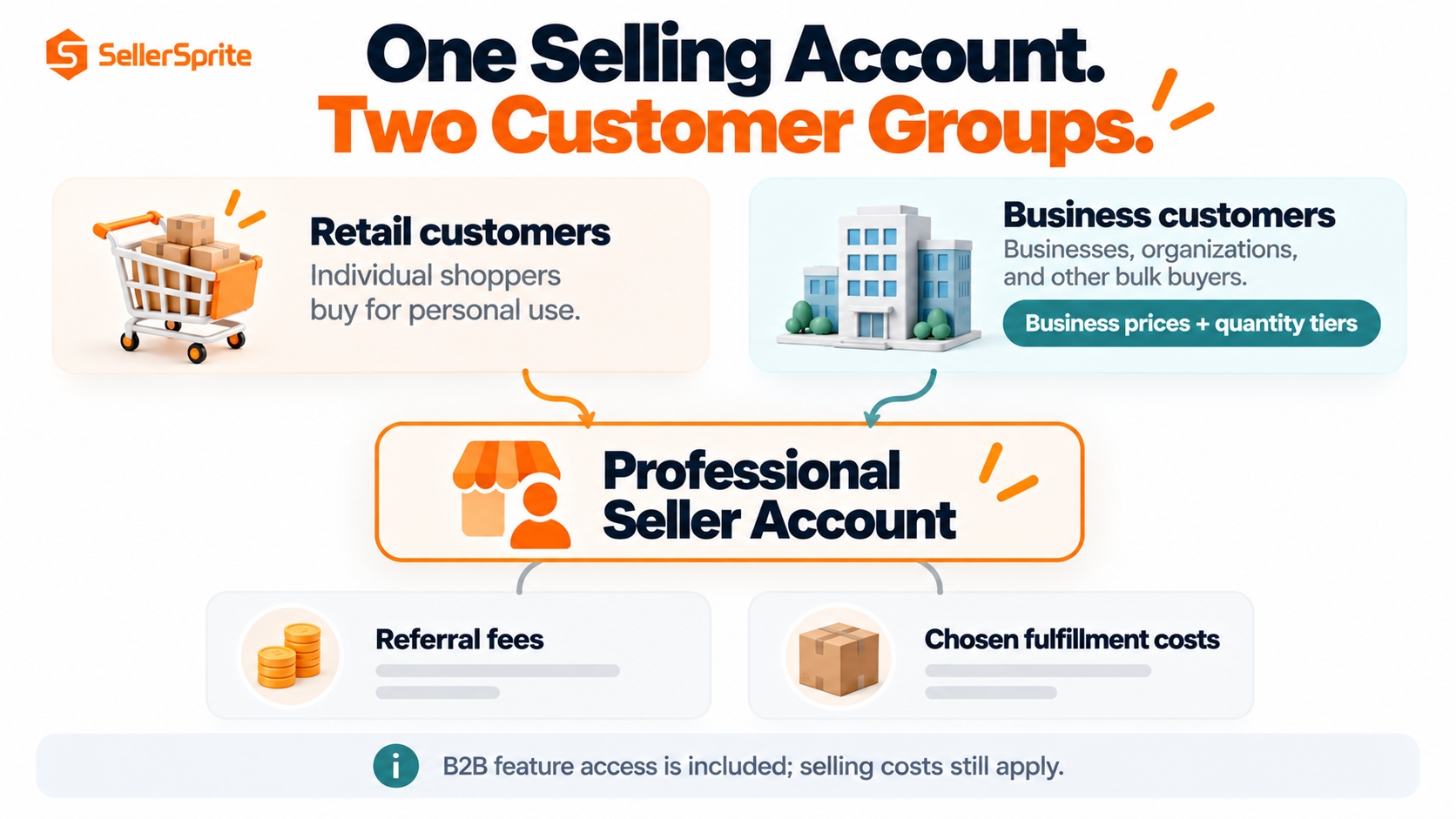
Amazon Business does not add a separate fee for access to its seller features. You need a Professional selling plan, and the usual referral fees and applicable fulfillment charges remain. Eligible business orders may qualify for specific reductions, but the customer being a business does not automatically remove selling fees.
There are also different accounts on opposite sides of the purchase. Mixing them up is one reason searches for Amazon Business and seller fees can lead to the wrong cost estimate.
Buying for your organization
An Amazon Business buying account is free to register. It is a procurement account, not permission to list products for sale.
Adding buyer membership benefits
The buyer-side membership, shown as Prime Business on Amazon's US site, is separate from a seller plan. Do not include a buyer membership as a required marketplace selling fee.
Selling to business customers
Use a Professional seller account and the B2B features in Seller Central. Existing sellers do not need a second selling subscription simply to start using those features.
B2B orders can be fulfilled through FBA or your own fulfillment operation. With FBA, Amazon Business and retail orders generally draw from the same inventory pool, except inventory reserved through business-only offers. This makes bulk pricing an inventory decision as well as a marketing decision.
Choose the Selling Plan Your Operation Actually Needs
Amazon's US selling-plan comparison lists the Individual plan at $0.99 per item sold and the Professional plan at $39.99 per month. Other applicable selling fees are additional. Professional replaces the Individual per-item plan charge; it does not replace the referral fee.
The subscription-only crossover is straightforward: 40 units at $0.99 cost $39.60, while 41 cost $40.59. On that narrow comparison, Professional becomes cheaper at 41 units per month. This calculation excludes taxes, special account arrangements, and all other fees.
The 41-unit rule is not an operating rule. You may need Professional before that volume for Amazon Business, advertising eligibility, bulk operations, or other supported features. Choose the plan that supports the work, then assess whether the business can cover its fixed cost.
The fee is per item, not per order. Ten units sold together are ten units for the Individual plan calculation, not one. For a Professional seller, allocating the monthly subscription across units can help with budgeting, but do not deduct that allocation and the full subscription again when calculating monthly profit.
Read Your Costs in Four Layers
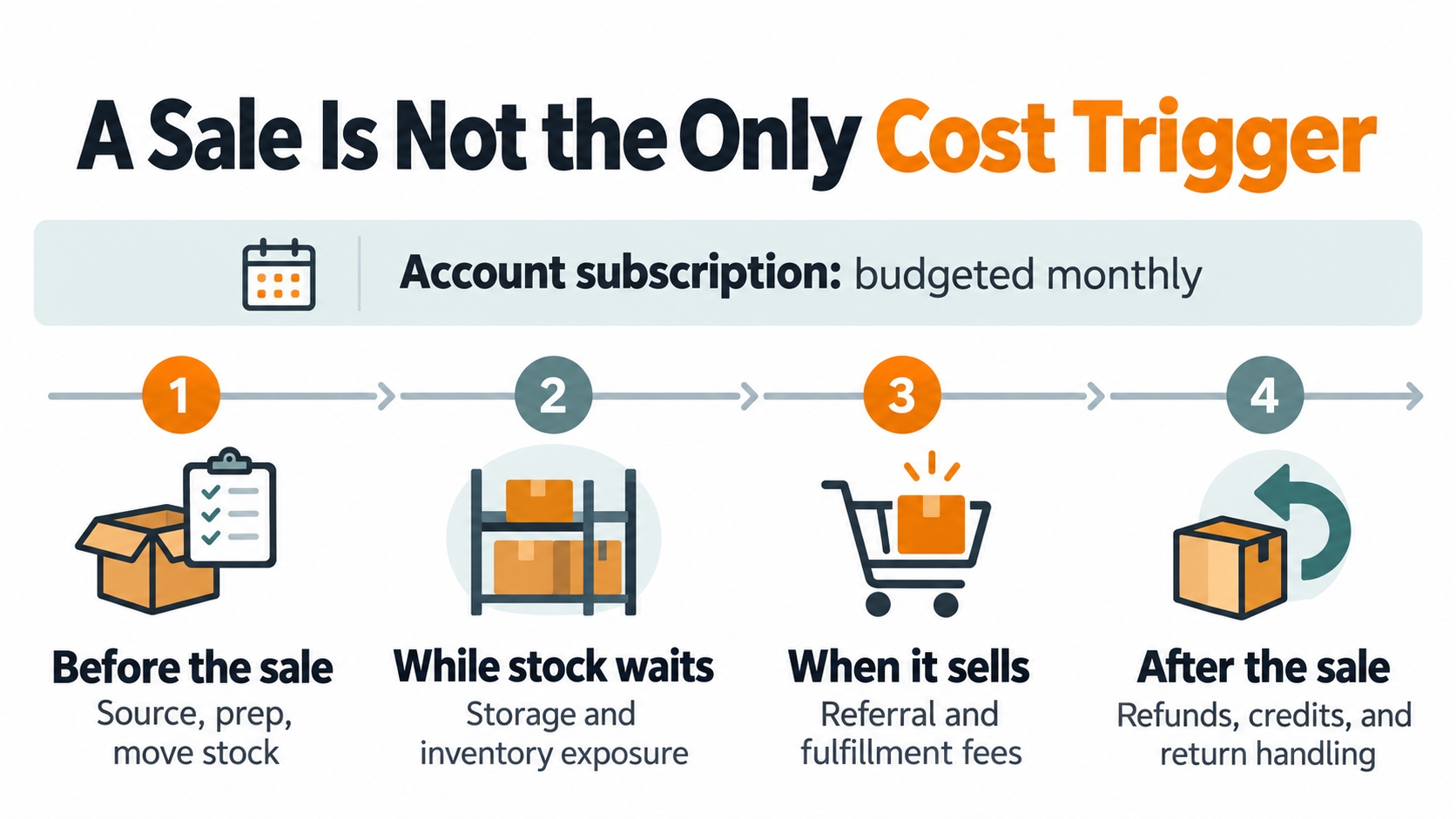
A useful fee model follows what creates the charge: access to the account, a sale, inventory handling, or an optional service. That structure makes it easier to see which costs a quantity discount might change and which it will leave untouched.
Layer 1: The Referral Fee on the Actual Selling Amount
Referral fees depend on the fee category and may use price bands or minimums. The relevant sales-price base generally includes the item price and buyer-paid shipping or gift wrapping, rather than only the amount displayed beside the product. Use Amazon's applicable fee category instead of assuming every item is charged 15%.
Charging separately for shipping does not automatically take that revenue outside the referral-fee calculation. Your carrier bill is a separate cost. Keep customer-paid shipping and shipping expense on different lines so the comparison remains clear.
Layer 2: Fulfillment and the Inventory Costs Around It
FBA fulfillment is a per-unit charge, with size, weight, and other product conditions affecting the rate. Storage, inbound placement, aging inventory, removals, and other applicable services are separate considerations. Merchant fulfillment replaces the FBA handling model with your own shipping, packing, labor, and logistics costs; it is not cost-free fulfillment.
Current US FBA quote check: The published 2026 schedule includes a 3.5% fuel and logistics-related surcharge on fulfillment fees, effective April 17, 2026, and a holiday peak period from October 15, 2026 through January 14, 2027. The 3.5% is not a percentage of your product's selling price. Check whether the calculator output already includes the applicable surcharge before adding it again.
Layer 3: Returns and Other Exception Costs
A refunded sale does not necessarily reverse every cost. For non-media refunds, Amazon's published policy retains 20% of the original order-related fees, capped at $5 per refunded line item, as an administration fee. Media rules differ. The percentage is not 20% of the product's selling price.
Model refunded revenue, fee credits, recoverable stock, return handling, and damage consistently. Do not subtract the original product cost twice, and do not assume that inventory returned by a customer can immediately be sold again. For forecasts, use your own resolved-order history rather than a competitor's review count.
Layer 4: Advertising, Promotions, and Costs Outside Amazon
Sponsored Products uses cost-per-click advertising. Access to the advertising tools does not make the clicks free, so ad spend belongs in the order economics or an explicitly defined acquisition budget.
Product sourcing, inbound freight, preparation, software, staff, and financing also need a place in the business model. Label costs as per-unit, per-order, time-dependent, or fixed. A fee deducted by Amazon and an expense paid to a supplier both reduce what you keep, even if only one appears in the payment statement.
When Business Orders Qualify for Lower Fees
A business price is an offer for Amazon Business customers; a quantity discount changes the price at specified purchase quantities. Neither is itself a payment from Amazon. Separate the revenue you give up from any reduction in the fees charged to you.
| Program | Core US conditions to verify | What not to assume |
|---|---|---|
| Bulk-order referral-fee discount | Eligible categories, an Amazon Business buyer, more than $1,000 of one product in a single order, and a qualifying discount of at least 3% off the standard price. | The threshold is not your monthly sales or the combined value of unrelated products. |
| FBA multi-unit fulfillment discount | Eligible small-standard or large-standard products, multiple units of the same product, an Amazon Business buyer, and at least 3% off for the quantity purchased. Large bulky and extra-large products are excluded. | One business order does not turn twenty sellable units into one FBA fulfillment fee. |
For eligible high-value orders, reduced referral rates apply by value band; the first $1,000 remains at the applicable category rate. For multi-unit FBA orders, the reduction depends on the product's size and quantity band. Verify the Amazon Business multi-unit fee conditions against the actual order instead of copying a percentage from another product.
If a quantity discount starts at ten units, an order of five cannot rely on that tier to meet the discount requirement. Check the final eligible price, not merely whether a discount field exists in the listing.
Budget rule: Put only verified fee savings into the base case. Keep unconfirmed incentives in a separate upside scenario. A lower price takes effect immediately for the buyer; a hoped-for fee reduction may never apply.
Twenty Units Sold: Why the Bigger Order Can Leave Less
Compare the economics of the same inventory before deciding that one large order is better than several smaller ones. This isolates the trade-off between a lower price and the costs saved on each unit.
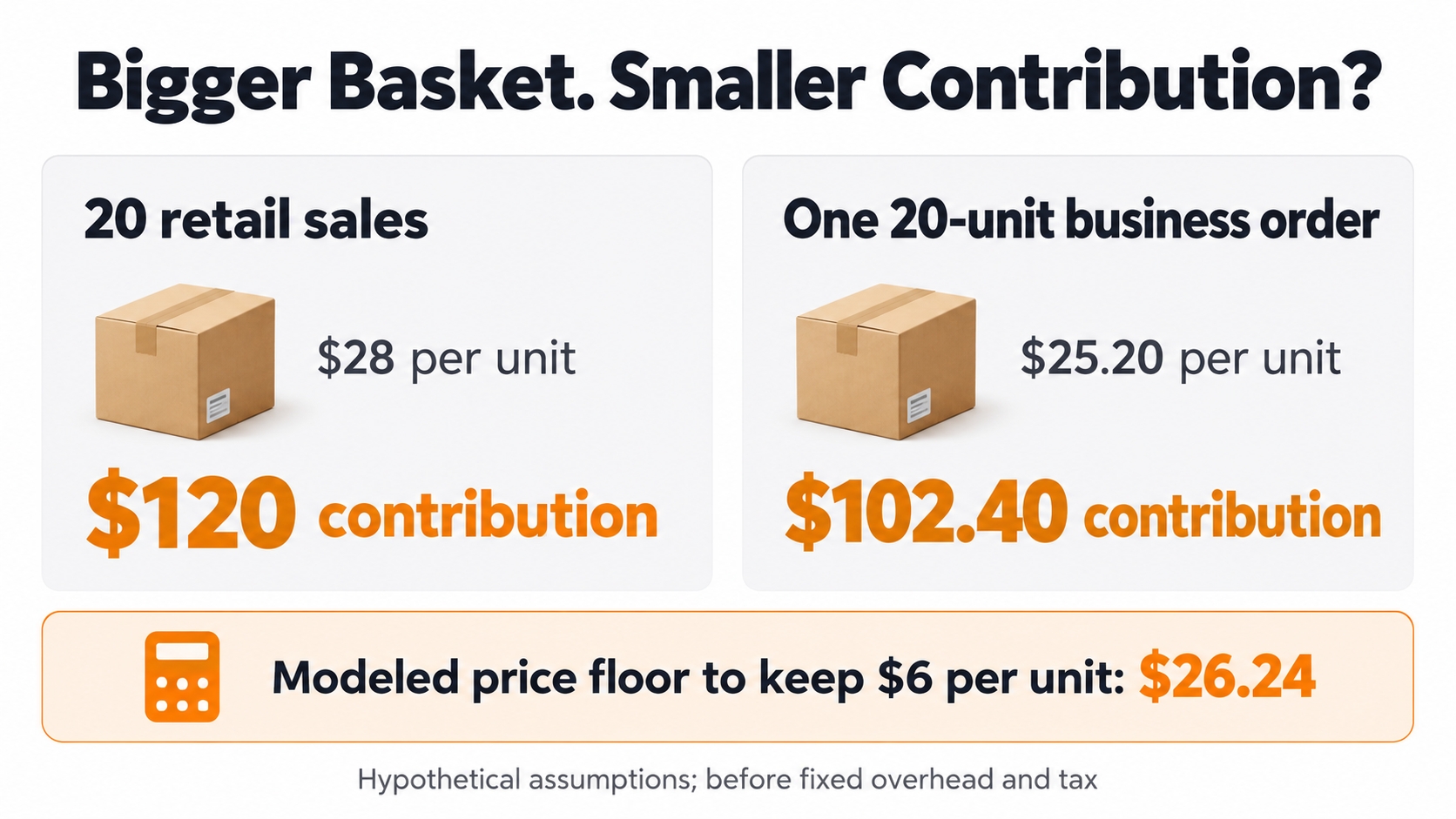
Hypothetical example, not an Amazon rate quote: compare twenty retail sales at $28 each with one twenty-unit business order at $25.20 per unit, a 10% discount. Assume a 15% referral rate, $10 landed product cost, and $1 of storage and expected net post-sale costs per unit. The business case assumes a $0.50 fulfillment saving and $1 lower advertising cost per unit; neither saving is guaranteed.
| Per-unit amount unless stated | Retail sales | One business order |
|---|---|---|
| Selling price | $28.00 | $25.20 |
| Referral fee: assumed 15% | $4.20 | $3.78 |
| Landed product cost | $10.00 | $10.00 |
| Modeled fulfillment cost | $4.80 | $4.30 |
| Allocated advertising | $2.00 | $1.00 |
| Storage and expected net post-sale costs | $1.00 | $1.00 |
| Contribution per unit | $6.00 | $5.12 |
| Contribution across 20 units | $120.00 | $102.40 |
The $56 reduction in sales revenue is only partly offset by $38.40 of modeled savings: $8.40 in referral fees, $10 in fulfillment, and $20 in advertising. The business order leaves $17.60 less contribution for the same twenty units. That can still be an intentional trade-off, but it is not automatically an improvement.
The $504 business order is below the high-value referral-discount threshold, so the example uses the same assumed referral rate for both cases. All fulfillment figures are placeholders for the applicable all-in charge, including relevant surcharges and confirmed discounts. Fixed subscription fees, staff overhead, and income tax are excluded from contribution.
The decision is different when a business order uses genuinely excess stock, creates measurable repeat purchasing, or avoids another known cost. Record that additional value rather than assuming every business buyer will reorder.
Calculate the Lowest Business Price You Can Defend
Start with the contribution you need, then solve for the selling price. That produces a defensible limit for the quantity tiers instead of selecting a familiar discount percentage and hoping the fees will absorb it.
Simplified minimum price = (non-referral variable cost per unit + target contribution per unit) ÷ (1 − referral-fee rate)
This formula assumes one proportional referral rate, no binding minimum fee or stepped rate, and no other price-linked charges. In the example, business-order non-referral costs total $16.30. To preserve $6 contribution per unit at a 15% referral rate, the minimum price is ($16.30 + $6) ÷ 0.85 = $26.2353, rounded up to $26.24.
That supports about 6.3% off the $28 standard price, not 10%, under these assumptions. If the fulfillment saving disappears or the advertising allocation was too optimistic, the floor rises. Recalculate using the applicable price band and any confirmed invoice-processing charge rather than extending this simplified formula to every case.
Apply the result to the actual sellable unit. A case-pack ASIN and twenty individually sold units can have different packaging, fee, and replenishment implications. Check the correct product configuration and available stock; do not use an attractive minimum price to justify an inaccurate listing or an order the operation cannot fulfill.
A Fee, a Reserve, and an Invoice Are Not the Same Thing
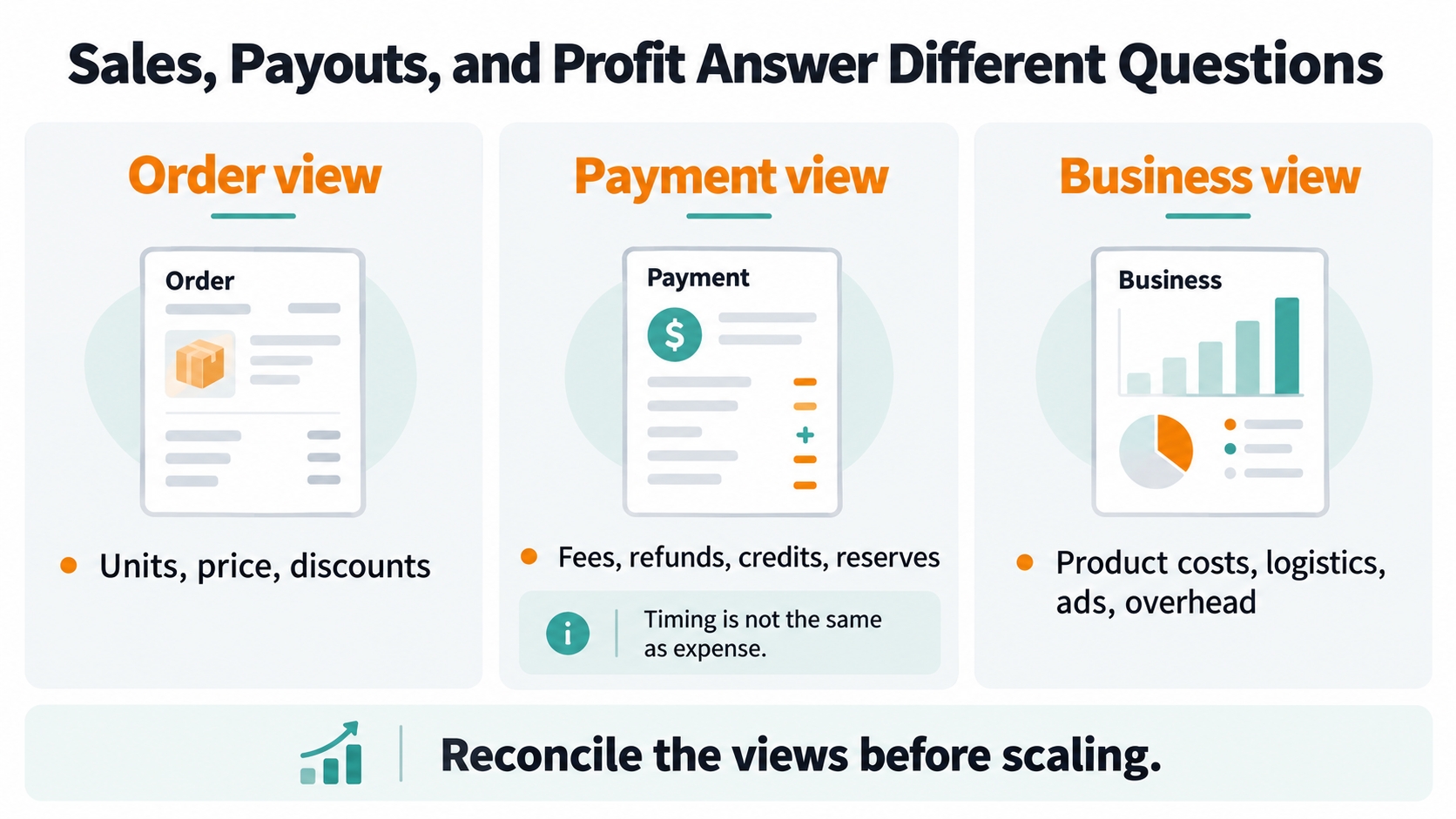
A fee changes the cost of the sale. A reserve or an unpaid invoice changes when money is available. Your operating profit and the amount transferable to the bank can therefore move differently even when no fee error occurred.
Reserves Affect Available Cash, Not Just the Fee Total
Amazon's seller-payments guidance describes settlements that account for sales, expenses, refunds, and amounts held in reserve. A reserve can cover future liabilities and reduce the current disbursement; it should not simply be relabeled as another referral fee. Review available funds and deferred amounts separately.
The deposit also omits expenses you paid elsewhere, such as supplier invoices or warehouse rent. Reconcile settlement movements to the period's transactions, then use your own cost records for profitability. Avoid dividing every deduction in one settlement by that week's orders when the deductions relate to different periods.
Pay by Invoice Can Add a Timing Decision
For qualifying invoiced orders, Amazon normally credits the seller when the buyer pays; its published terms also address payment after an overdue invoice. An optional early-payment setting carries a 1.5% processing charge on the invoiced amount for crediting the available selling-account balance after shipment confirmation. That is not the same as immediate arrival in your bank.
Decide whether earlier access to funds is worth the charge for your replenishment cycle. It is optional, not a fee on every Amazon Business order. Check the actual invoiced amount, payment setting, due date, and current program terms before quoting a margin-sensitive order.
Refunds and Credits Need a Matched Order Record
Match each refund, retained fee, recovery, and inventory outcome to the related transaction. A lower fee after a refund does not recover the entire original margin, and a later credit may belong to a sale from an earlier period. Keep this reconciliation separate from any demand forecast.
Audit Five Orders Before Expanding Your B2B Offers
Use a small fee audit to check whether your expected economics survive real transactions before expanding the offer. Choose a manageable set of representative transactions; five is a suggested starting sample, not an Amazon requirement or a statistically representative result.
- A normal single-unit sale: verify the fee category, price basis, and actual fulfillment charge.
- A multi-unit business order: confirm the business-order flag, quantity, final price, and each claimed fee reduction.
- A discounted sale: inspect the actual revenue after applicable promotions rather than the nominal list price.
- A refunded order: reconcile refunded revenue, fee credits, retained charges, and the stock outcome.
- An invoiced or fee-period-change order: separate payment timing from the applicable fee schedule and any optional processing charge.
Amazon identifies business orders with a Business Buyer label and an is-business-order report field. In Payments, open Transaction View and select a transaction; available Fee Explainers show the fee definition, relevant attributes, and calculation. Compare the charged attributes with your product and order records, then use the appropriate support process for a documented mismatch.
Before launching a new configuration, enter the actual product inputs in Amazon's Revenue Calculator and compare FBA with your own fulfillment assumptions. Save the estimate and its date. After real orders arrive, replace estimates with charged fees and reconciled operating costs rather than continuing to optimize an outdated spreadsheet.
Keep four measures on the review sheet: contribution per unit, contribution per order, expected-versus-actual fee variance, and days until funds are available. Evaluate inventory coverage and customer concentration alongside them. A larger order is useful only if its economics and cash demands fit the operation.
Test business pricing on products with evidence of appropriate demand and enough supply to support bulk purchases. Measure the actual B2B response instead of assuming general Amazon search volume predicts business-buyer demand. Change a limited number of inputs at once so the review can explain why results moved.
Make the Next Order Earn Its Discount
The fee worth focusing on is the one that changes your next decision. Confirm the account cost, price the actual product and quantity, verify eligibility for savings, and reconcile the amount that remains after fulfilling and supporting the order.
A business discount should be funded by a measured cost advantage, a deliberate contribution trade-off, or another defensible commercial benefit. The size of the basket alone is not the reason to accept a lower margin.
FAQs
Is selling on Amazon Business free?
There is no separate charge for using its seller features, but Professional-plan and normal selling fees still apply. FBA and other optional services can add costs; qualifying business orders may receive specific fee reductions.
Is a free Amazon Business buying account the same as a seller account?
No. The buying account is for procurement. Selling uses a seller account, and Amazon Business seller features require Professional. Buyer membership benefits do not replace that selling plan.
When is Professional cheaper than Individual?
Using only $0.99 per item versus $39.99 per month, Professional becomes cheaper at 41 units in a month. Features such as B2B tools or advertising may justify it earlier. Other fees remain separate.
Does Amazon take 15% of every sale?
No. Referral rates, price bands, and minimums depend on the fee category. Fulfillment, inventory services, and other applicable charges are additional; a single percentage is not the full cost of selling.
Do all bulk business orders get a referral-fee discount?
No. The documented program requires eligible categories, a qualifying business discount, and more than $1,000 of one product in one business order. Reduced rates apply by value band, not automatically to the entire order at one lower rate.
Does a multi-unit FBA order incur only one fulfillment fee?
No. FBA fulfillment remains unit-based. Eligible business purchases may receive per-unit reductions based on size and ordered quantity, provided the program requirements are met.
Is the early-payment fee charged on every business order?
No. The 1.5% charge described in Pay by Invoice is tied to the optional early-payment setting for invoiced orders. Review that setting separately from the standard sales and fulfillment fees.
Why is my Amazon payout lower than my sales?
Fees, refunds, reserves, and timing can affect the amount available for disbursement. The deposit also does not account for every expense paid outside Amazon, so it is neither gross revenue nor a complete profit calculation.
References
- Amazon Seller Central: Selling on Amazon Business Fee Schedule View
- Amazon: Selling Plans and Standard Fees View
- Amazon Business: Free Buying-Account Registration View
- Amazon: Prime Business Membership View
- Amazon Seller Central: Selling on Amazon Fee Schedule View
- Amazon: Fulfillment by Amazon Costs View
- Amazon Seller Central: 2026 US FBA Fulfillment Fee Changes View
- Amazon Seller Central: Refund Credits and Administration Fees View
- Amazon Seller Central: Business Prices and Quantity Discounts View
- Amazon Seller Central: Amazon Business Bulk-Order Fee Discount View
- Amazon Seller Central: Amazon Business FBA Multi-Unit Fulfillment Fee Discount View
- Amazon Seller Central: Pay by Invoice View
- Amazon: How Seller Payments Work View
- Amazon: Estimate Fees and Costs View
- Amazon: Selling to Business Customers View
By SellerSprite Content Team
SellerSprite approaches seller economics from the product decision outward: demand, achievable prices, competition, and the cost of serving an order. This analysis brings that marketplace perspective to Amazon Business pricing, tracing fee eligibility and testing discount decisions against per-unit contribution. Published rates and illustrative assumptions are kept separate so operators can adapt the model to their own products.
Last reviewed: October 19, 2026