TL;DR: Most sellers compare SellerSprite alternatives only when their current product-research toolkit is slowing down a bigger job: ad management, multi-user workflows, bulk analysis, or budget constraints. This guide explains who that’s true for, which alternatives to consider, and how to make a data-driven switch decision in the U.S. marketplace.
Key Takeaways
- No single Amazon software wins every job; switch when your workflow gap is obvious, not when a competitor has a bigger logo.
- SellerSprite alternatives are most valuable for new sellers with micro-budgets, growth-stage brands that need PPC or operations modules, and teams that need multi-user permissions or API access.
- Compare what matters: pricing mechanics, U.S. data coverage, query limits, export formats, learning curve, support, and migration cost.
- Run the same 5-10 ASINs and one ad reporting workflow through both tools before you cancel anything.
Table of Contents
Note on marketplaces: This guide is specifically optimized for the US market. Amazon data, pricing, and buyer behavior vary by country, so validate every tool’s coverage in sellercentral.amazon.com before adding another subscription.
Why Do Sellers Search for SellerSprite Alternatives?
Every Amazon listing starts with the same decision: which product do you sell, which keywords create traffic, and which niche will still be growing after you spend 90 days building a brand. SellerSprite belongs to a category of Amazon product-research software that answers those questions with reverse ASIN lookups, keyword explorer reports, marketplace trend estimates, and niche tracking.
But product research is not the only job a modern U.S. seller has. Once an item is live, you need advertising intelligence, inventory planning, competitor price monitoring, review management, and a report that your team can read before a Monday meeting. A tool can be excellent at product research and still leave friction in the processes around it. That mismatch is the real reason sellers type “SellerSprite alternatives” into search.
The title “Who Is It For?” is therefore about buyer intent in the deepest sense. It asks: who has a seller journey that no longer fits a dedicated product-research tool? The answer usually includes four groups: newly launched sellers living on tight cash flow, growth sellers whose next move depends on ads or operations, established brand teams with multiple logins and data needs, and data-savvy operators who want a different set of query limits, exports, or market coverage.
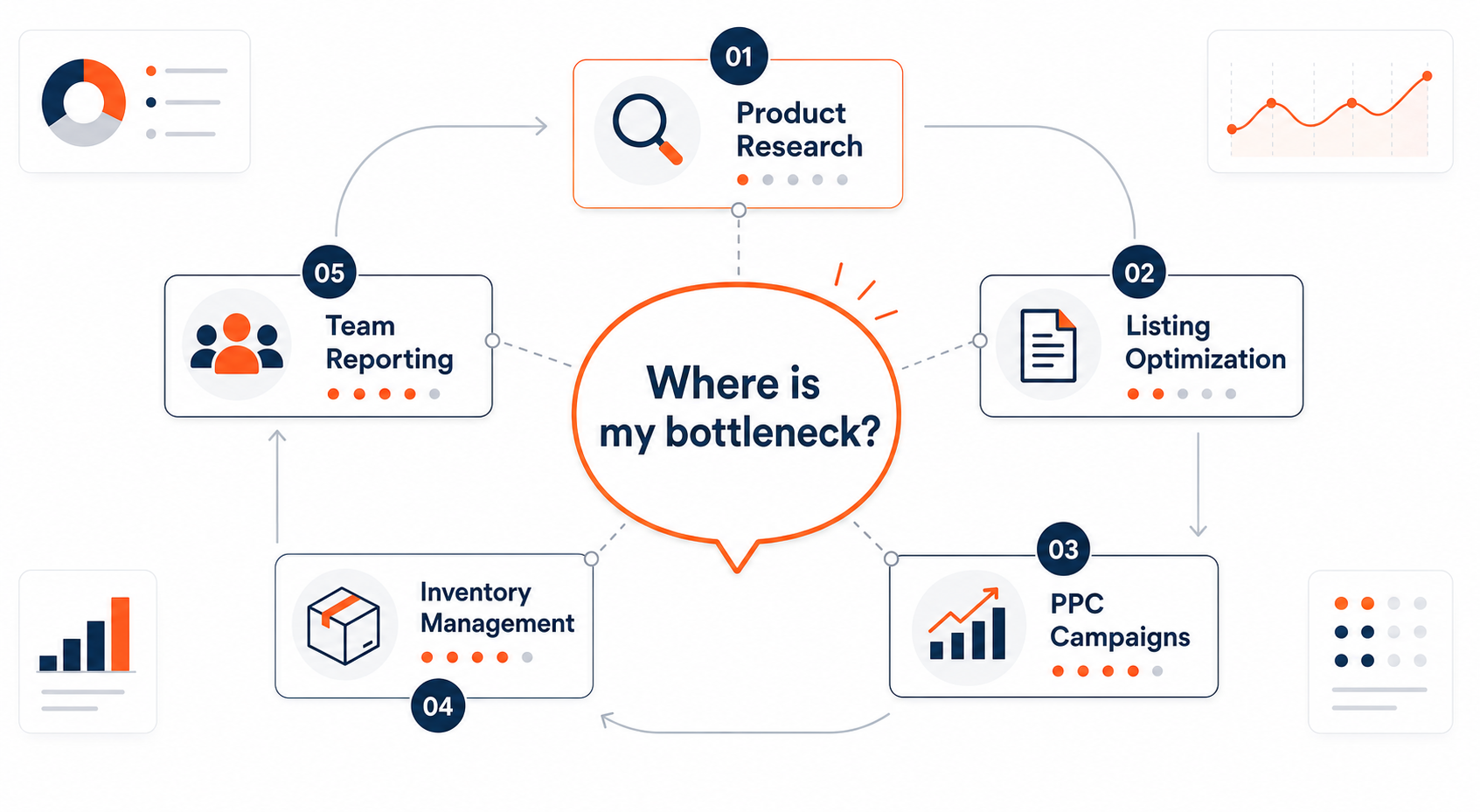
Before comparing feature lists, define your current friction point. If you are not sure which category of software matters first, the best Amazon seller tools hub compares research, analytics, ad management, inventory, and repricing tools against typical seller jobs. It is a useful place to start when you know you need more than a reverse ASIN tool but do not yet know the software category that will fix your bottleneck.
Who Should Use SellerSprite Alternatives?
The honest answer to “Who is it for?” is: not every Amazon seller. A lean home-based seller who validates one product every two months can get years of value from a simple product research workflow. An alternative subscription creates more learning time, a second monthly bill, and more clutter. But if you identify with one of the following profiles, an alternative should be on your shortlist.
1. New Sellers and Low-Volume Operators
New U.S. sellers often start with free or low-cost product research features, including SellerSprite’s free allowance. That is the right approach for the first 30 days. Later, an alternative becomes attractive when you want a different bundle: free tiers with more browser searches, a cheaper starter plan with higher query volume, a supplier database, or an easier path from product idea to listing content.
The trap is buying a premium full-stack suite before your monthly order volume justifies it. If you are launching two products and managing one ad campaign, a $99-per-month suite is not an alternative, it is inventory debt. Instead, compare free allowances and low-tier plans. For a practical breakdown of which Amazon tools justify their price during the first year, read which Amazon seller tools are worth paying for in 2026.
2. Growth-Stage Sellers Ready for Ads and Operations
The biggest trigger for searching “SellerSprite alternatives” is reaching a stage where more products, more ad spend, and more daily reports appear at the same time. Growth sellers do not need another sales estimator; they need a tool that ties together search term data, negative keywords, inventory levels, repricing rules, and listing changes.
This profile should look for alternatives that include a PPC dashboard, bulk operations, advertising bid suggestions, and enough data export to run weekly scorecards. If you also manage two or three employee seats, ask about multi-user roles and audit logs before you look at feature screenshots. A suite that works for one person becomes a single point of failure for a team.
3. Brand Teams, Agencies, and Marketing Managers
A brand team rarely cares about one product. It cares about categories, variants, ad return on ad spend, share of voice, review trends, and competitive moves across dozens of ASINs. A product research tool that is highly accurate on one ASIN can feel limiting when you need API access, spreadsheet exports, custom filtering, permission levels, and multi-marketplace reports.
Agency users often use two or three tools for different clients, so they also value flexible seats and fast data pull times. Alternatives designed for this profile include bulk databases, team dashboards, and automation. If your goal is to narrow a category quickly, the best Amazon seller software tools in 2026 guide can help you separate “one-chair” tools from true team platforms.
4. Spreadsheet-First Sellers and Data Heavy Users
Some sellers do not want another dashboard. They want to download a large historical database, filter unique product attributes, and run their own analysis in Excel or Google Sheets. For them, an alternative is not about eye-catching UX; it is about row limits, column depth, and export speed. Before switching, ask every vendor: how many ASIN records can you export in one pull and what historical range does your U.S. database cover?
5. Who Does Not Need an Alternative?
A one-person shop selling a small catalog in one U.S. state can often stay with SellerSprite if product research is the main job. The same is true for sellers who only renew a subscription during product validation season. Don’t switch because a competitor has a better influencer marketing campaign. Evaluate whether you need a new toolbox or just a new habit. “Switching costs” include the time to learn a new interface, transfer saved keyword lists, rebuild alerts, and retrain your one VA. Sometimes those costs are larger than the monthly price difference.
The Most Relevant Alternatives for U.S. Sellers
The U.S. Amazon tool market is crowded, so the best first move is not to download six trials. Start with four or five names that fit the profile you checked above.
Helium 10
Helium 10 is the most frequently mentioned SellerSprite alternative in U.S. seller discussions. It is a complete suite with product research, keyword tools, index checking, inventory management, and advertising tools. It is best for growth sellers who want one tool to move from product hunt to active operations, although the advanced tiers rise quickly in price.
Jungle Scout
Jungle Scout is another popular name in U.S. product research. It is known for its product database, opportunity score, historical trend charts, and supplier database. Many new sellers use it because the workflow feels guided, from niche check to product list creation. It also includes listing and review features in higher tiers, which can replace a few point tools.
AMZScout
AMZScout is often considered a more visual and browser-focused database. Its extension shows estimated sales and trends while you browse Amazon, making it a comfortable alternative for sellers who like to research while shopping. The full web database supports trend analysis and advanced filtering, while pricing is usually positioned below the biggest suites.
SellerApp
SellerApp is a good alternative for sellers who want product research plus advertising and listing intelligence in one platform. It tends to appeal to PPC-active U.S. sellers because it gives daily search-term recommendations and listing comparison views. If you care about total ad return, add SellerApp to the shortlist.
DataDive
DataDive is less familiar to the general public but important for spreadsheet-first sellers. It provides large Amazon product data exports, historical snapshots, and advanced custom filters. If your analysis lives in Excel, DataDive can be the SellerSprite alternative that saves you hours of manual copy-and-paste.
Emerging AI-Heavy Tools
The category is changing quickly. New tools are using AI to summarize niche trends, auto-generate listing copy, and provide plain-language market briefs. To evaluate these aggressively, read the Amazon AI tools for sellers in 2026 guide, which separates practical AI features from automation theater. An AI feature is only an alternative if it solves a job you do every week, not a demo you watch once.
Where Alternatives Differ From SellerSprite
If you compare alternatives as a single blob, they all look similar: reverse ASIN, keyword rank, sales estimates, trend graph. The differences that matter show up in six places.
1. Research depth and update frequency. Product-research tools all estimate sales from a sample or panel of Amazon data. Ask how often the vendor refreshes sales estimates, how broad its U.S. data set is, and whether keyword volume reflects recent Prime-related spikes. An estimate’s usefulness depends on freshness, not on the color of the chart.
2. PPC and ad workflow. Many alternatives are not ad tools. They give keyword ideas but cannot import Amazon ad campaigns, monitor ACOS by search term, or suggest bid changes. If daily ad work is your pain point, choose a product research alternative with an integrated PPC module or pair it with a standalone ad tool.
3. Query limits and bulk operations. A low monthly price can come with very small daily search limits. Before comparing prices, write down how many ASIN reverse lookups and keyword reports you run in an average week. Multiply by expected growth. Then compare each plan’s quota against that number.
4. Multi-user permissions. One-person sellers rarely need roles. Brand teams and agencies need to restrict access, create reports, and avoid a junior employee accidentally deleting a saved product list. If the alternative cannot give each person a distinct seat, it is not a team solution.
5. Data export and API. If you track inventory or marketing data outside the tool, an API or a complete export button can be more valuable than a fancy dashboard. A savvy seller will ask: can I export the exact columns I need into CSV, or do I have to screenshot everything?
6. Price transparency. Watch annual subscription discounts, historical upgrade paths, refund windows, and legacy plans. A low first-month price can become expensive when you outgrow it, especially if the plan requires moving to more users or adding extra products. Of course, SellerSprite also runs promotions and free-allowance changes; the point is to compare the cost structure, not the monthly sticker.
SellerSprite is a product-research-first tool that many U.S. sellers use for keyword mining, competitor intelligence, and niche discovery. An alternative often becomes necessary when the broader operational stack enters the picture. This is not a criticism of any one brand, it is a healthy check that every seller should run at least twice per year.
How to Choose: A Seller Workflow-Based Framework
The following five-step framework prevents you from buying a second tool that only looks different in a product demo.
Step 1: Map your weekly Amazon jobs. Make a list of the tasks you actually do: product discovery, keyword research, listing copy, ranking tracking, PPC bid updates, inventory ordering, review monitoring, and reporting. Next to each task, write the current tool and the number of hours it takes. The highest-hour task is your real buying requirement.
Step 2: Create your non-negotiable list. Define your minimum limits before seeing a demo. For example: estimated sales on at least 20 U.S. ASINs per day, 500 keyword export rows, PPC data for two child ASINs, two user seats, and a monthly budget under $80. Share that list with each vendor or read their help page before booking a meeting.
Step 3: Compare the actual outcome, not feature names. Open the same product category in your existing tool and in the alternative. Save the first ten results side by side. Look for fields that matter to your workflow: is the keyword sort intuitive? Can you turn a niche report into a saved list? Do the sales estimates line up with your actual prior sales for a known ASIN? The last test matters because no estimate is exact; the tool that is closest without being noisy usually wins.
Step 4: Test with a real decision. Do not test a tool with random ASINs. Use your next product launch or your next ad campaign. If the alternative helps you find a keyword you missed or prevents a risky product bet, it has proven value. If it only gives you prettier charts, keep your current budget.
Step 5: Calculate migration cost. Export your saved lists, keyword groups, and alerts from the existing tool. Ask how you can import them into the alternative. If migration requires manually rebuilding 100 saved products, add that time to the price. Often, the best decision is to run both tools for 30 days and then retire the old one, but only if the old one has a cancel-anytime plan.
A simple rule of thumb: new sellers should choose the cheapest tool that lets them validate one product and learn the fundamentals; growth sellers should choose the suite that automates their single most time-consuming activity; brand teams should choose the tool with clean permissions and export controls. If your decision still feels impossible, ask yourself what has changed since the day you bought SellerSprite. If the answer is “nothing,” you may not need an alternative yet.
FAQ
Who should use SellerSprite alternatives?
SellerSprite alternatives should be used by Amazon sellers whose daily work goes beyond product research. That includes new sellers on a tight budget who need a different free allowance, growth sellers who need a PPC or inventory module, brand teams that need multi-user analytics and API exports, and spreadsheet-first researchers who need bulk historical data. If your catalog is small and product research is your only pain, an alternative may not be necessary.
What is the best SellerSprite alternative for product research?
There is no single best product research alternative because research means several different jobs: reverse ASIN lookup, niche validation, keyword mining, trend history, and data export. Helium 10 and Jungle Scout are the most commonly compared full-suite options in the U.S. AMZScout appeals to visual researchers, SellerApp works well if advertising is part of your research workflow, and DataDive is the strongest match for bulk exports. Define your exact research job before choosing a name.
Are SellerSprite alternatives cheaper than SellerSprite?
Not always. Some competitors offer free plans for new sellers but charge more once you want higher query limits or team features. Smaller tools sometimes use lifetime deals while larger suites use monthly or annual tiers. SellerSprite itself focuses on budget-friendly product research, so the real question is whether an alternative includes the specific operations, PPC, API, or data export features that justify its total cost. Always compare annual cost, query limits, number of users, and migration time, not the first-month promo price.
Next Steps
- Create a free SellerSprite workspace through this signup link and use it as the baseline. Save ten target ASINs, one keyword list, and one competitor reverse-ASIN report so you have identical data for comparison.
- Pick two alternatives from the list above and run the same saved ASINs through their free trials. Compare the export format, learning curve, and the quality of the comments your reviewer would leave after 10 minutes.
- Score the tools on the job that causes the most friction in your weekly workflow. If you are a team, add one virtual seat and ask whether permissions meet your safety standards. If you are an advertiser, run one search-term report.
- Make the switch only after you have migrated saved lists and verified the new cancellation policy. A $20 difference per month is not worth losing three months of saved competitor research.
References
- Related: Best Amazon Seller Tools View
- Related: Best Amazon Seller Software Tools 2026 View
- Related: Amazon Seller Tools Worth Paying For 2026 View
- Related: Amazon AI Tools for Sellers 2026 View
- External: Amazon Seller Central Product Research View
By SellerSprite Content Expert
Amazon seller tools and marketplace SEO specialist.
Editorial process: AI-assisted draft prepared for human fact-checking, source verification, and brand review before publication.