If you need an invoice for your SellerSprite subscription, you can find it in your account's payment records. Follow the steps below to view your subscription details and choose whether to download the invoice or receive it by email.
Step 1: Log in to SellerSprite
Open the SellerSprite website and log in to the account associated with your subscription.
Step 2: Go to User Center
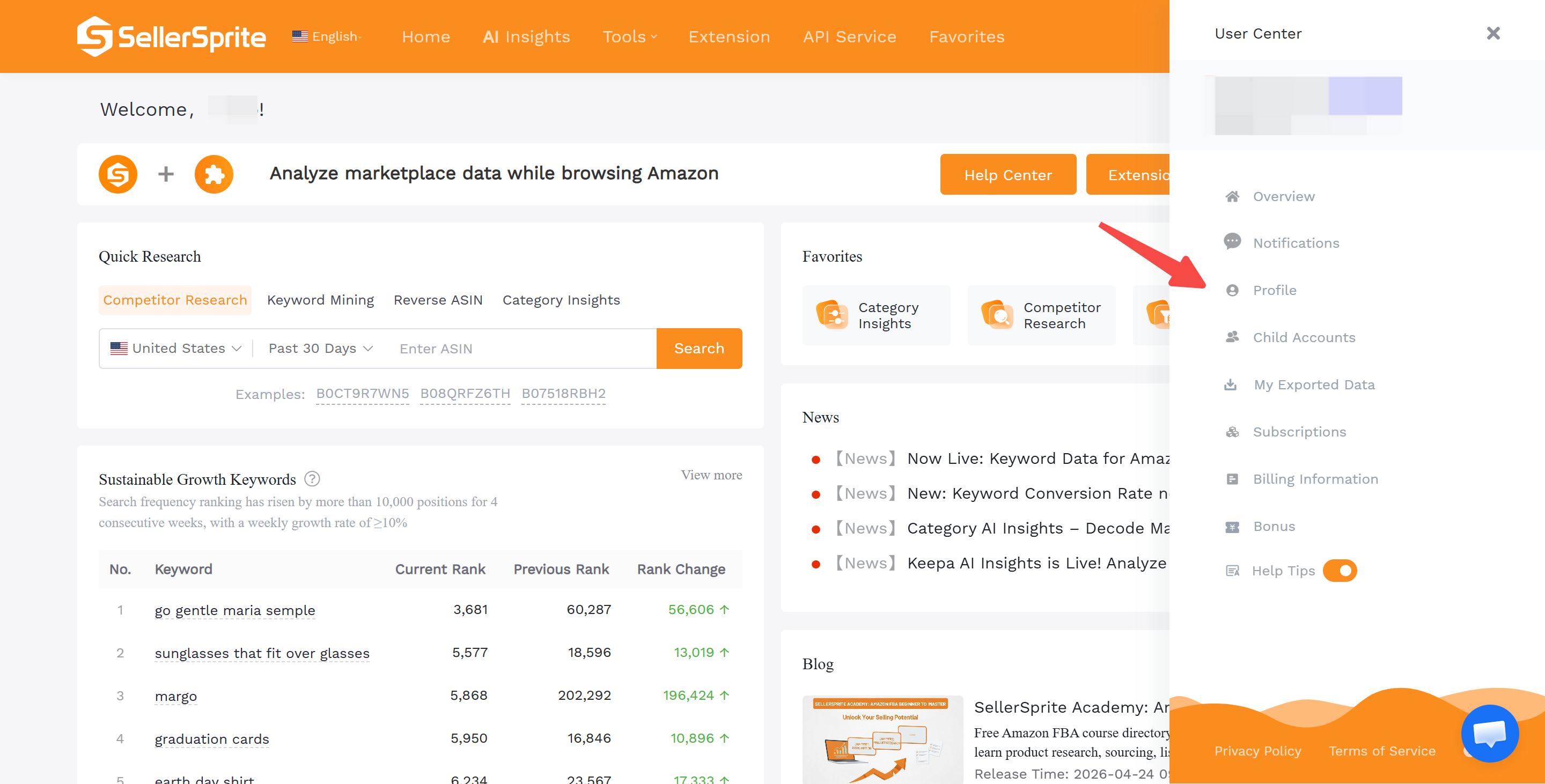
After logging in, click your profile avatar in the upper-right corner of the page. In the side panel that opens, select User Center, then click Profile.
Step 3: Find Credit Card Subscription
On the Profile page, scroll down until you find the Credit Card Subscription section.
Step 4: Open Payment Records
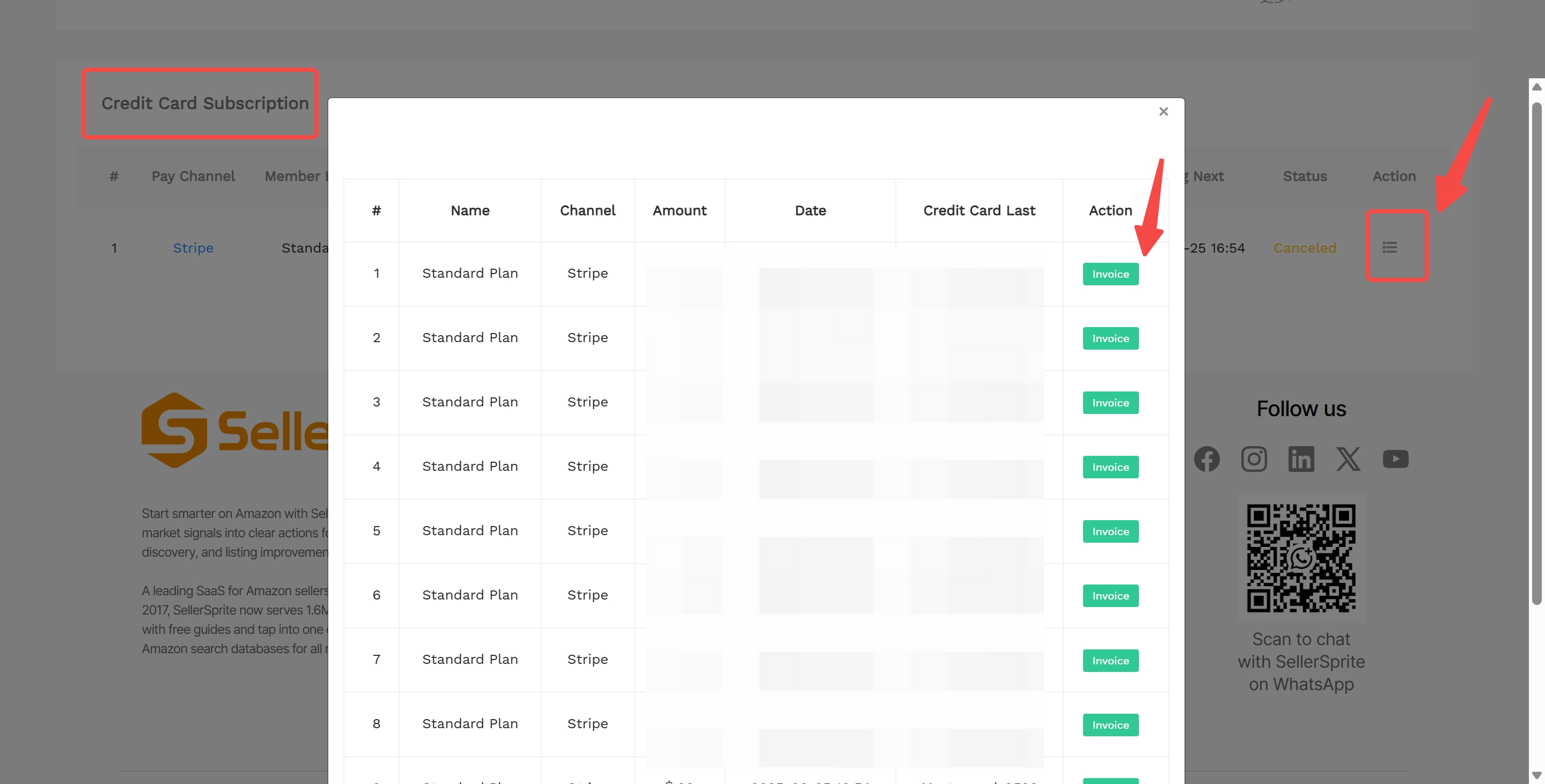
In the Credit Card Subscription section, click the Payment Records icon under the Action column.
Step 5: View Your Subscription Details
A payment records window will appear. Here, you can view the details of each subscription payment, including the plan name, payment channel, amount, date, and related payment information.
Step 6: Download or Email Your Invoice
Find the payment record you need, then click Invoice. You can choose to download the invoice directly or receive it by email.
Quick Path
SellerSprite website > Log in > Profile Avatar > User Center > Profile > Credit Card Subscription > Payment Records > Invoice
Notes
- Make sure you are logged in to the correct SellerSprite account associated with your subscription.
- If you have multiple payment records, choose the record that matches the billing period you need.
- If you cannot find your invoice or payment record, please contact SellerSprite support for further assistance.
Need Help with Your Invoice?
If you cannot find the invoice you need, our support team can help you check your subscription and payment records.


