TL;DR: An Amazon discount price calculator prevents loss-making sales by simulating how coupons, Prime Day deals, and launch discounts impact your net margin after fees and costs.
Key Takeaways
- Always calculate your margin floor before setting a promotion to ensure you don't sell at a loss.
- FBA fees are fixed based on price, but referral fees decrease as your price drops, slightly softening the blow of discounts.
- Use scenario analysis to compare the profitability of a % coupon versus a flat $ reduction or Lightning Deal.
Table of Contents
Note on marketplaces: This guide is specifically optimized for the US market.
Quick Answer
An Amazon discount price calculator is a specialized tool that allows sellers to simulate the financial outcome of promotional events. By inputting your standard Cost of Goods Sold (COGS), Amazon referral fees, and FBA fulfillment costs, the tool reveals how a specific price reduction affects your net profit per unit. It moves beyond simple subtraction to account for the complex fee structures that change when your listing price fluctuates, ensuring you never accidentally turn a hot deal into a financial loss.
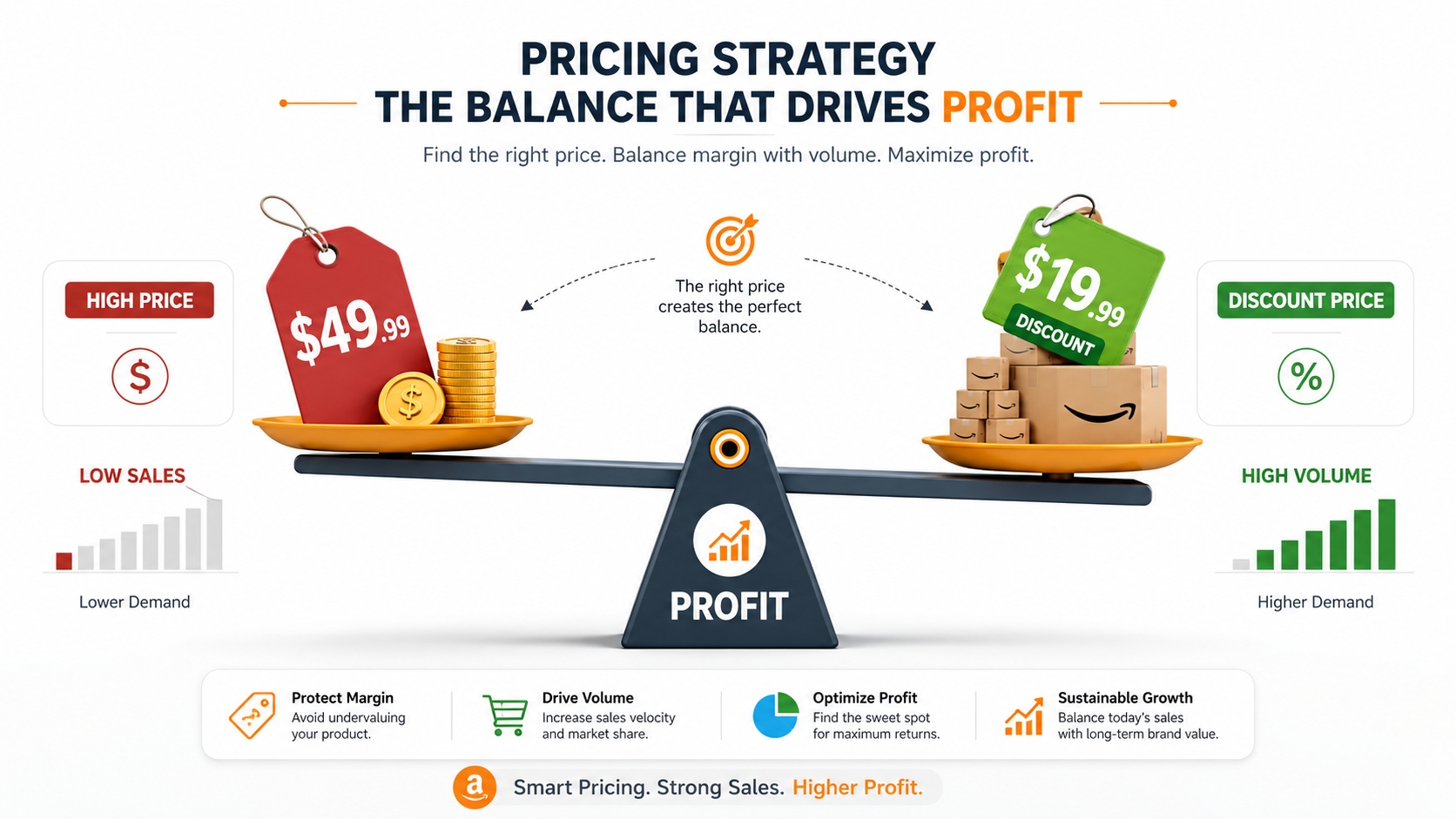
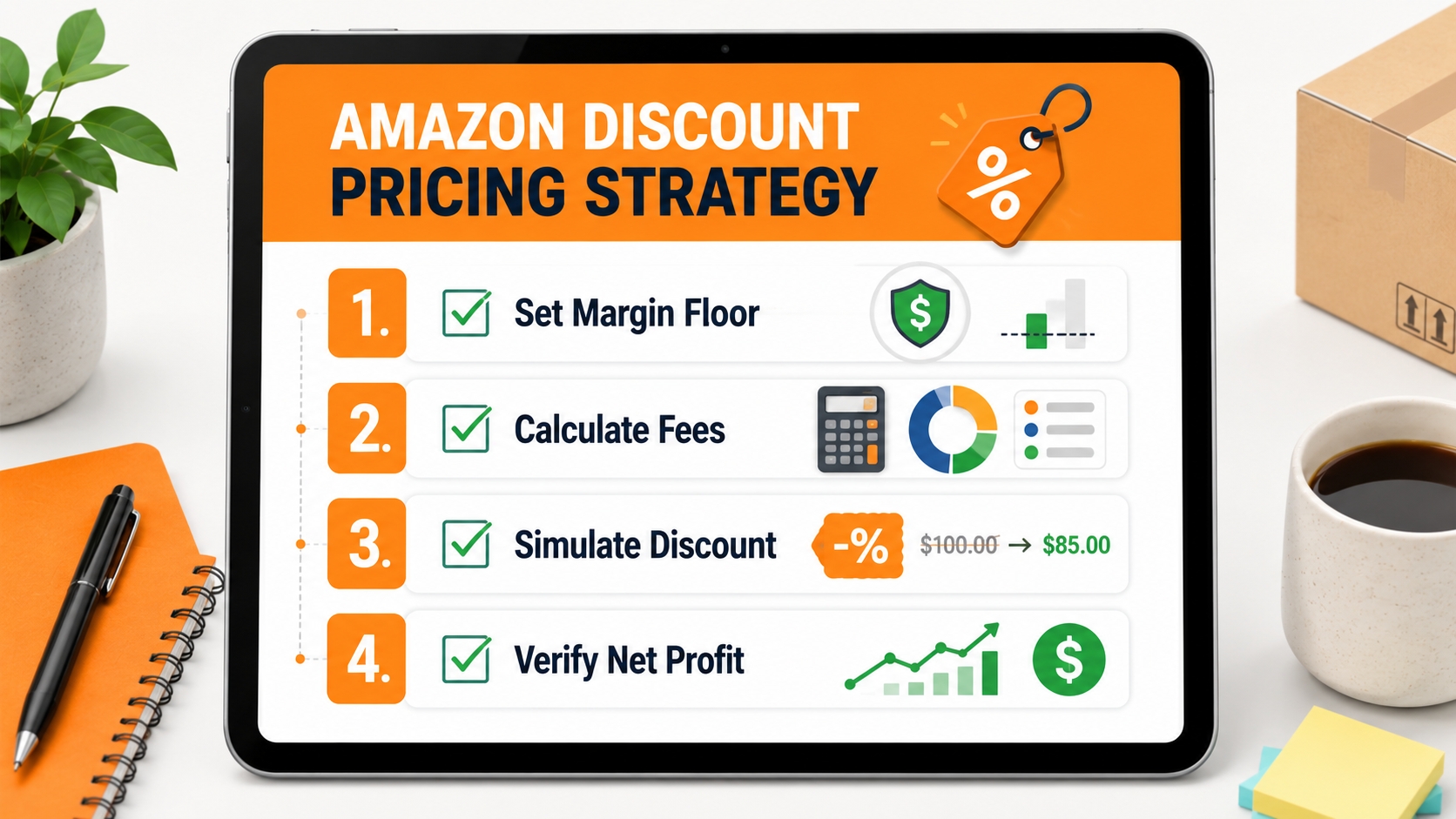
Discount planning starts with margin floor
Before you even consider running a Coupon or a Lightning Deal, you must identify your margin floor. This is the absolute minimum profit percentage you are willing to accept to move inventory. For many sellers, this is the break-even point where profit hits zero. Understanding this figure is critical because aggressive discounts on low-margin products can quickly lead to negative profitability once PPC costs are factored in. Establishing this boundary creates a safety net for all future pricing strategies.
When to Use a Discount Price Calculator
Pricing is dynamic, and a discount calculator isn't just for major holidays; it is a vital tool for any stage of the product lifecycle. Whether you are trying to capture the initial buy box for a new listing or defending your position during Q4, running the numbers beforehand prevents guesswork. Below are the critical scenarios where precise calculation is non-negotiable for maintaining healthy cash flow.
New product launch
The launch phase often requires aggressive pricing to generate velocity and rank for keywords. Sellers frequently ask, "How low can I go to get my first 50 reviews?" Using a calculator helps you determine the maximum launch discount you can afford without destroying your unit economics. It allows you to model a strategy where you might break even on the product cost but profit slightly on the shipping spread or vice versa, ensuring your launch strategy is sustainable for the duration of the campaign.
Prime Day and seasonal events
High-traffic events like Prime Day, Black Friday, and Cyber Monday bring massive volume, but they also come with strict requirements from Amazon regarding "reference prices" and maximum discount depths. A calculator helps you verify that the mandated deal price still meets your profit targets after accounting for the inevitable spike in PPC during these events. You can use it to see if a 20% price cut is offset by a potential 300% increase in sales volume, determining if the total net profit is actually higher despite the lower margin per unit.
Coupons and temporary price cuts
Not all promotions are created equal. Amazon offers various promotional types, such as % Off coupons, clipped coupons, and limited-time Lightning Deals. Each has a different fee structure; for instance, coupons incur a fee for every redemption (usually $0.60), which must be factored into your calculation. A discount calculator helps you compare the impact of a fixed-dollar discount versus a percentage discount, clarifying which option converts better for your specific price point while protecting your bottom line.
Discount depth vs. profit risk
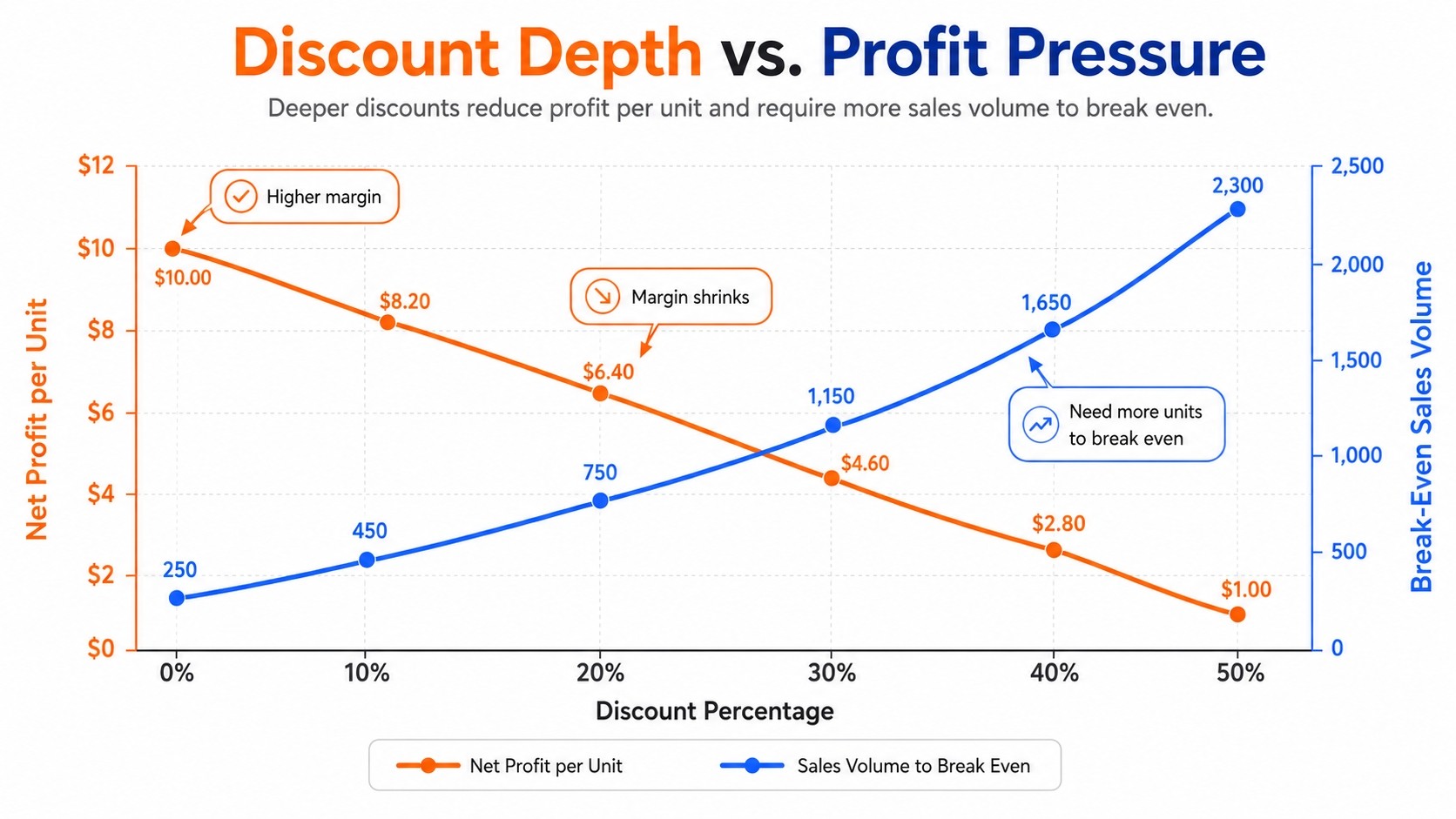
There is a direct correlation between the depth of the discount and the risk to your profitability. As you dive deeper into discounts, the margin for error shrinks. It is crucial to understand that at a certain discount percentage (often above 30-40%), you are relying entirely on volume to make up for the lack of per-unit profit. Calculators expose this risk by showing you exactly how many units you must sell to break even at the discounted rate compared to your standard price, enabling data-driven decisions rather than emotional reactions to competitors' pricing.
Inputs for Discount Calculation
To get an accurate result from any Amazon promotion calculator, you must feed it precise data. The output is only as good as the input. Beyond just the price, you need a holistic view of your costs. Skipping inputs like PPC or returns can lead to a false sense of security, where a deal looks profitable on paper but loses money in reality. Below is a comprehensive checklist of the data points you need to gather.
Regular price
This is your standard selling price or the "Was" price. It sets the baseline for calculating the discount size and determines the referral fee bracket that Amazon will apply. Accurately inputting the regular price ensures that the calculator correctly estimates how much of your margin is being eroded by the promotion.
Discounted price
This is the final price the customer pays at checkout. Depending on the calculator, you might input this directly, or input a discount percentage (e.g., 20%) and let the tool derive the sale price. Remember that the sale price usually determines the FBA fulfillment fees (which are tiered), so a lower discount price could actually slightly lower your fulfillment variable costs.
Amazon fees
This includes two main components: the Referral Fee (usually 15% of the total sale price, including shipping) and the FBA Fulfillment Fee (based on the product's size and weight tier). These fees are dynamic; for example, a lower sales price means a lower absolute referral fee. To understand these costs in detail, you can refer to resources like the Amazon FBA Fees Explained guide.
COGS and shipping
Cost of Goods Sold (COGS) represents the manufacturing cost of your product, while shipping covers the cost to get the goods from the factory to the Amazon warehouse. These are usually fixed costs per unit that do not change when you offer a discount on Amazon. However, heavily discounted orders might change your logistics mix, so accurate per-unit costing is essential.
PPC cost
A critical oversight in discount planning is ignoring advertising. During a promotion, you typically increase ad spend to drive traffic to the deal. You must input an average Cost Per Click (CPC) and your projected Conversion Rate (CVR) to see the "True Net Profit." A deal that looks profitable with organic traffic can instantly become unprofitable if the ACOS (Advertising Cost of Sales) is too high. Having a firm grasp on your baseline revenue, as described in our comprehensive Amazon Revenue Calculator Guide, is the prerequisite for this step.
Step-by-Step SellerSprite Discount Workflow
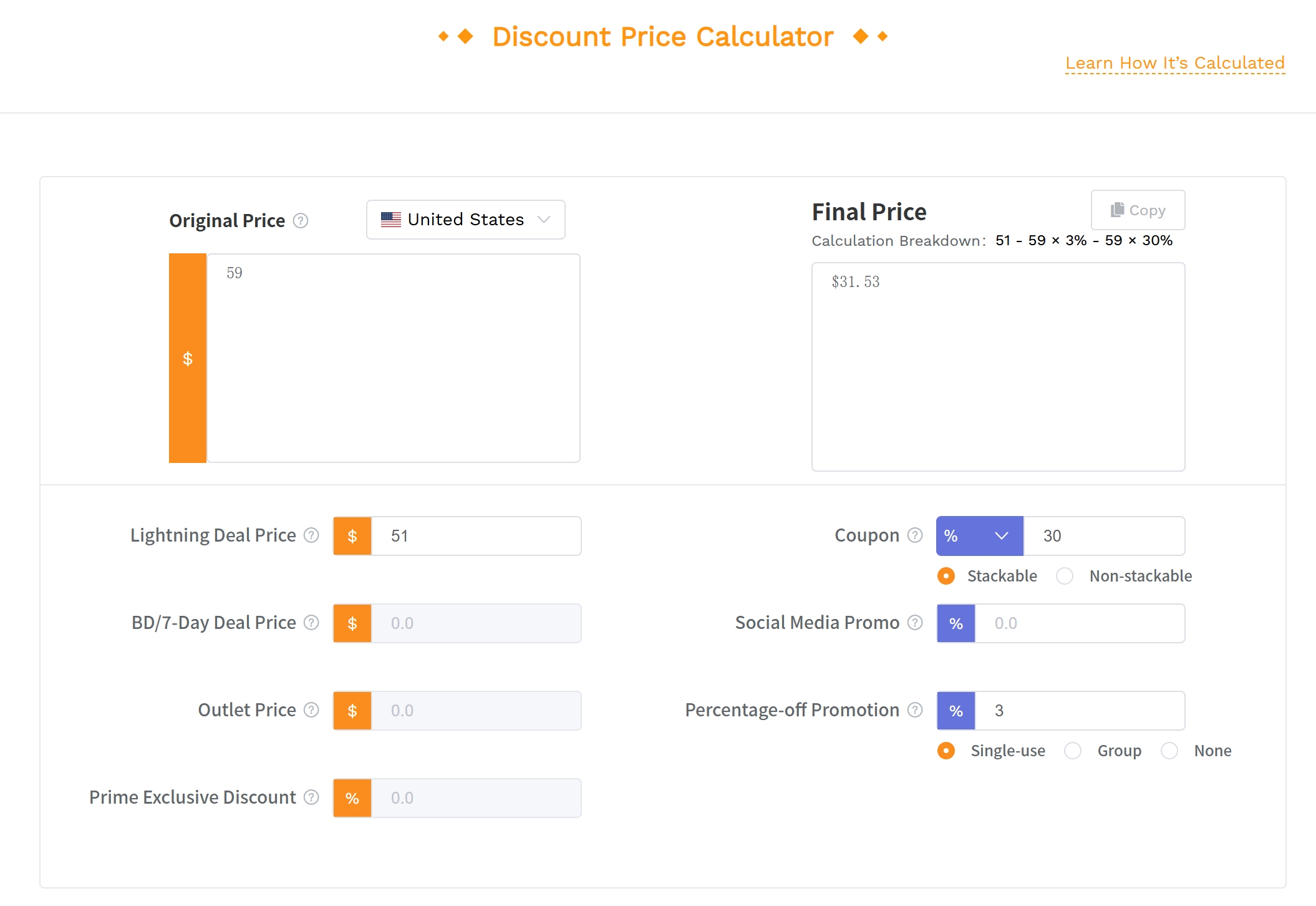
SellerSprite's Discount Price Calculator is designed for one specific job: helping Amazon sellers calculate the actual price a shopper may pay after different promotions are applied. Instead of estimating discounts manually, you can model coupon discounts, percentage-off promotions, fixed-amount reductions, and stacked promotion logic before publishing a deal. This is especially useful when multiple promotions overlap and the final checkout price becomes harder to judge.
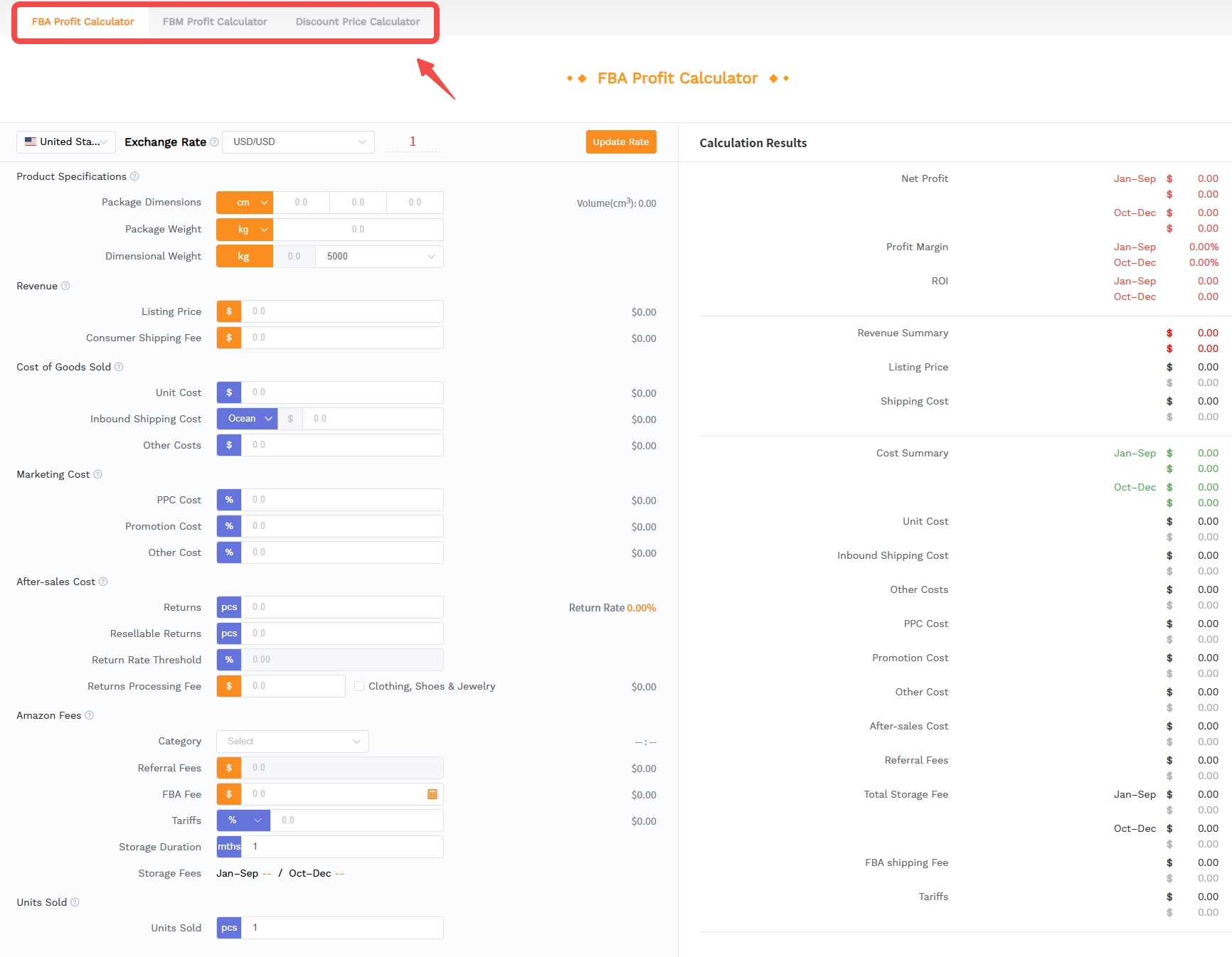
Open the Discount Price Calculator
Start from the SellerSprite calculator page and choose the Discount Price Calculator option rather than the FBA or FBM profit calculator. This keeps the workflow focused on promotion pricing, not full profit modeling. The goal at this stage is to answer a simple but critical question: after all discounts are applied, what price will the customer actually see?
Enter the original selling price
Input the product's regular selling price as the calculation baseline. This should be the price before coupons, limited-time promotions, percentage discounts, or any other promotional reductions. Using the correct original price is important because every following discount is calculated from this base or from the remaining price after previous discounts, depending on the promotion rule.
Add each discount rule one by one
Next, add the promotion conditions you plan to use. For example, you may need to test a percentage-off discount, a fixed-dollar discount, a coupon, or a combination of several discounts. Enter each rule separately instead of merging them into one rough estimate. This helps the calculator reflect the real stacking effect and reduces the risk of setting a promotion that is deeper than intended.
Pricing check:
Do not treat a 20% coupon plus a 10% promotion as simply "30% off" without checking the actual calculation logic. Depending on how the promotion is applied, the final price can differ from a simple manual estimate. The Discount Price Calculator helps you verify the final discounted price before the campaign goes live.
Check the final discounted price
After entering the discount settings, review the calculated final price carefully. This is the price-level checkpoint before you move into profit analysis. If the result is much lower than expected, adjust the promotion depth, remove one discount layer, or test a less aggressive coupon. The key is to avoid accidental underpricing caused by overlapping promotions.
Test multiple promotion plans before choosing one
Run several scenarios before deciding on your final campaign setup. For example, compare a 10% coupon, a $5 fixed discount, a 20% launch discount, and a coupon-plus-promotion combination. This comparison helps you identify which setup creates a visible customer incentive without pushing the final price below your acceptable floor.
Use the final price as the input for profit validation
Once you confirm the final discounted price, use that number as the discounted selling price in your broader profitability calculation. At this point, you can evaluate referral fees, FBA fees, COGS, shipping, coupon redemption costs, and PPC spend. In other words, the Discount Price Calculator helps you get the promotion price right first; then your profit calculator can determine whether that price is financially safe.
Discount Scenarios to Compare
Every product niche reacts differently to price stimuli. What works for a $50 kitchen gadget might fail for a $15 accessory. To optimize your strategy, you should run calculations on three core scenarios. Comparing these outcomes helps you select the promotion type that aligns best with your goals, whether that is maximum profitability, maximum sales volume, or a balanced approach.
10% coupon
A 10% coupon is a low-risk, evergreen strategy. It signals value to the customer without significantly devaluing your brand. In this scenario, the calculator typically shows a minor reduction in margin per unit, often offset by a modest increase in conversion rate. It is the safest bet for maintaining profitability while giving shoppers a small nudge to buy.
20% launch discount
A 20% discount enters the territory of aggressive promotion. This is often used for new products to gather reviews quickly. The calculation here will reveal a sharper drop in net margin. The key metric to watch in this scenario is whether the projected increase in sales units is sufficient to cover the fixed costs (like photography or tooling) faster. This is a high-risk, high-reward scenario that requires tight inventory management.
PPC-supported promotion
Sometimes, instead of dropping the price deeply, sellers maintain price and boost PPC spend. The calculator helps you see if spending $2 more on ads per unit is more or less effective than giving a $10 discount. surprisingly, for products with inelastic demand, PPC support might be more profitable than deep discounting because it preserves the brand's perceived value and price premium.
Case Study: Comparison
A seller of home decor items tested a 20% price drop against a maintained price with boosted PPC. The 20% discount tripled sales but resulted in a net loss of -$1.50 per unit due to thin margins. The PPC-supported model only doubled sales but maintained a healthy profit of $4.00 per unit. The calculator revealed that volume alone doesn't guarantee profitability.
FAQ
How to calculate profit after an Amazon discount?
To calculate profit, subtract all costs from the discounted revenue. The formula is: Profit = (Discounted Sale Price - FBA Fee - Referral Fee - COGS - PPC Cost). Remember that the referral fee is calculated on the discounted price, not the original price, which slightly reduces your fee burden during a sale.
What is a safe discount percentage for Amazon sellers?
A safe discount percentage typically keeps you above your "margin floor." For most established products, a 5-10% discount is safe. For new launches, sellers may go up to 20-30%, but this requires a high initial markup (keystone or higher) to avoid losing money. Use a calculator to verify your specific safety threshold.
Should coupons be included in profit calculations?
Yes, absolutely. Coupons reduce the Effective Sale Price, which lowers your revenue. Additionally, Amazon charges a fee (typically $0.60 per coupon redemption) that must be deducted. Failing to include coupon costs and redemption fees in your profit calculation leads to inflated profit estimates.
How do Prime Day discounts affect net profit?
Prime Day discounts drastically reduce per-unit margins due to deep price cuts (often 30%+ ). However, they can significantly increase total net profit if the volume spike is massive enough to dilute fixed costs. If volume doesn't scale as expected, Prime Day deals can severely damage monthly profitability. Calculators help forecast if the volume trade-off is worth it.
How to find my minimum profitable sale price?
Your minimum profitable sale price is the sum of all your variable costs plus your desired minimum profit. Add your COGS, shipping, FBA fees, and average PPC cost per unit together. The resulting total is your break-even price. Anything above this is profit; anything below is a loss. A discount calculator automates this math instantly.
Next Steps
- Use the SellerSprite Amazon Profit & Discount Calculator to simulate your next Prime Day deal.
- Review your current PPC ACOS and determine how much ad spend you can sustain during a price drop.
References
- Amazon - How to Calculate Percentage-off Prices for Products You Sell Online
- Amazon - Explore Costs and Budgets for Promotional Methods to Boost Engagement
- SellerSprite - Amazon Revenue Calculator Guide
- SellerSprite - Amazon FBA Fees Explained
By SellerSprite Success Team
The SellerSprite Success Team consists of veteran Amazon sellers and data analysts dedicated to providing actionable insights and tools for e-commerce growth. With years of experience in FBA operation optimization, algorithmic pricing strategies, and financial modeling, our mission is to help sellers maximize profitability through data-driven decision-making.


